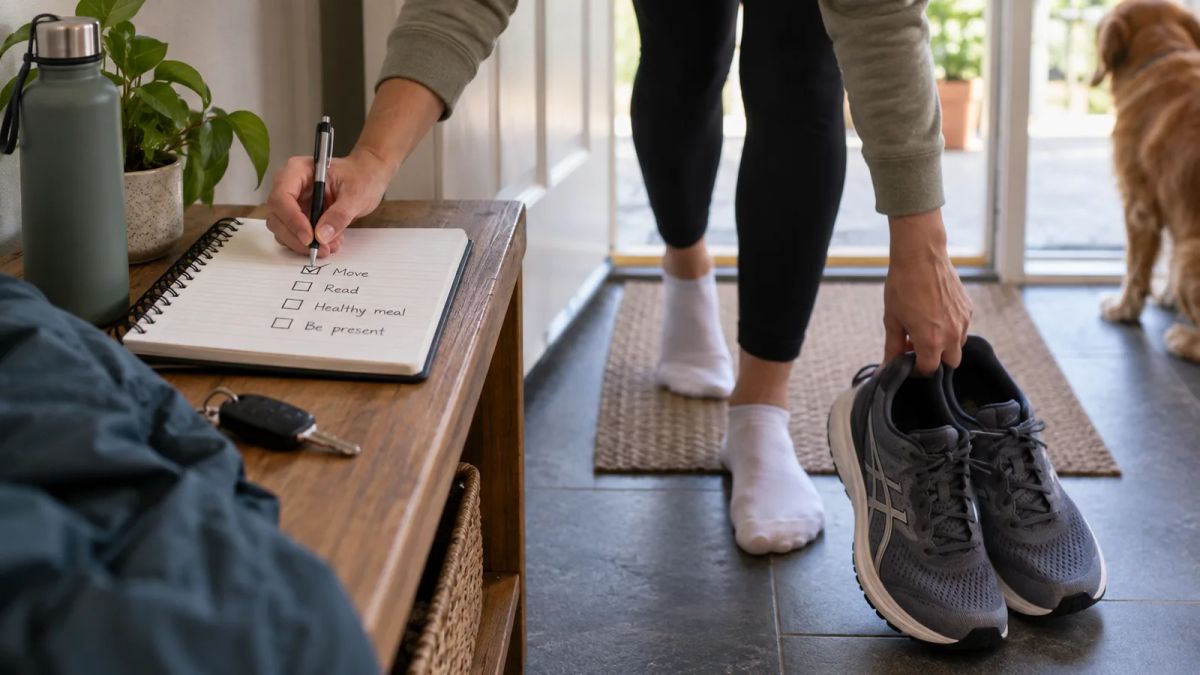
A daily routine app has one job. It makes the shape of your day repeatable, so you spend less effort deciding what happens next and more effort doing it. What that looks like in practice splits people into camps. Some want the whole day laid out in time blocks. Some want a voice walking them through the first hour so they stop stalling on the sofa. Others want two or three small habits to hold, without a planner telling them how to spend every minute.
So the best routine app for you depends on which of those you're after, and this list is built to sort that out.
The stronger all-round planners come first, then the more specialised and gentler options, so you can read down until one matches the day you're trying to build. Prices and platforms are spelled out for each, and where a price shifts by region or plan we've said so, because there isn't one clean number to quote. App pricing moves, so treat every figure here as a pointer and confirm it in your own store before you pay.
1. Structured: your whole day on one timeline
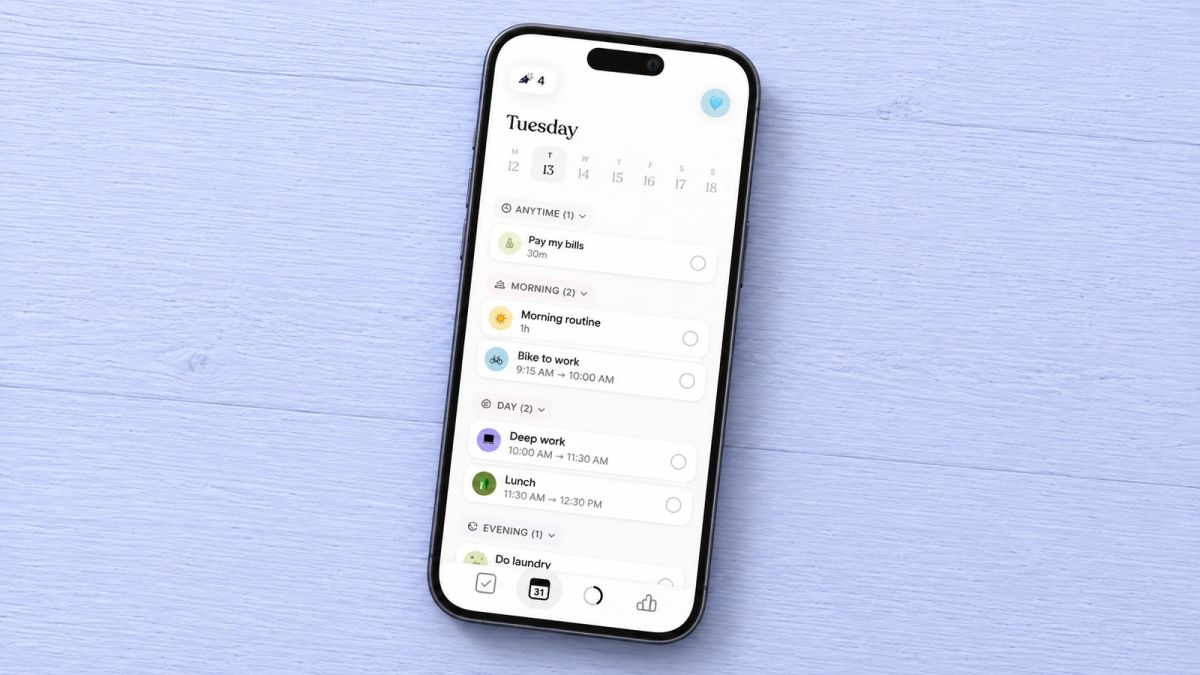
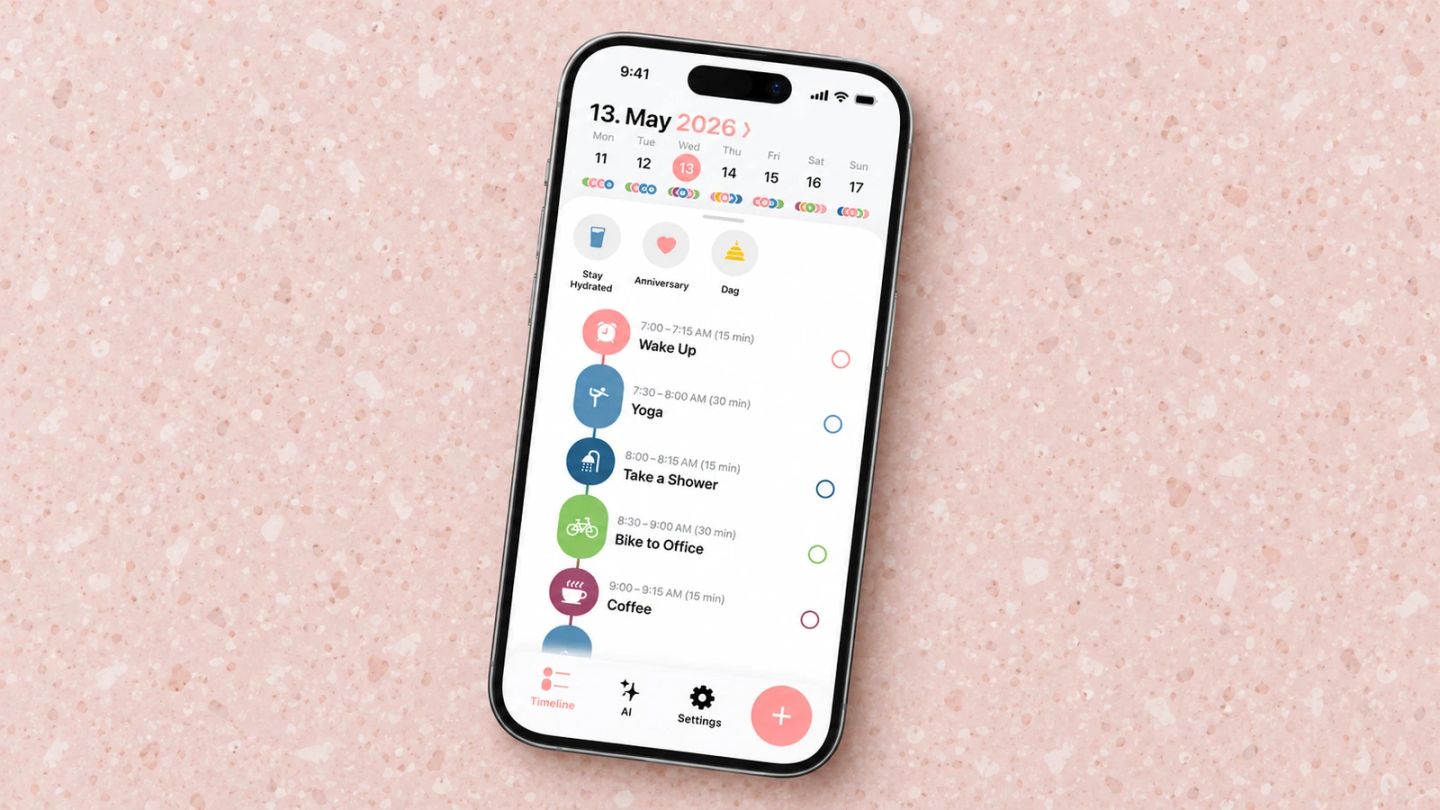
Structured lays the day out as a single vertical timeline instead of a flat checklist. Tasks, calendar events and repeating routine blocks sit in order down the screen, you drag them where you want them, and a built-in focus timer keeps you on one thing before the next. You can pull in your existing calendar so the plan reflects the day you've got, not an idealised one. It's a firm favourite among people who think in time blocks, and it's often recommended as ADHD-friendly for that reason.
Structured runs on iPhone, iPad, Mac, Apple Watch and the web, with an Android version too. The free tier is usable on its own, and Structured Pro adds the extras on a monthly, annual or one-time lifetime plan.
Best for: anyone who wants their routine sitting inside a clear plan for the whole day. Not for you if: seeing everything ahead in one column feels like pressure before you've had coffee.
2. Routinery: your routine, run step by step
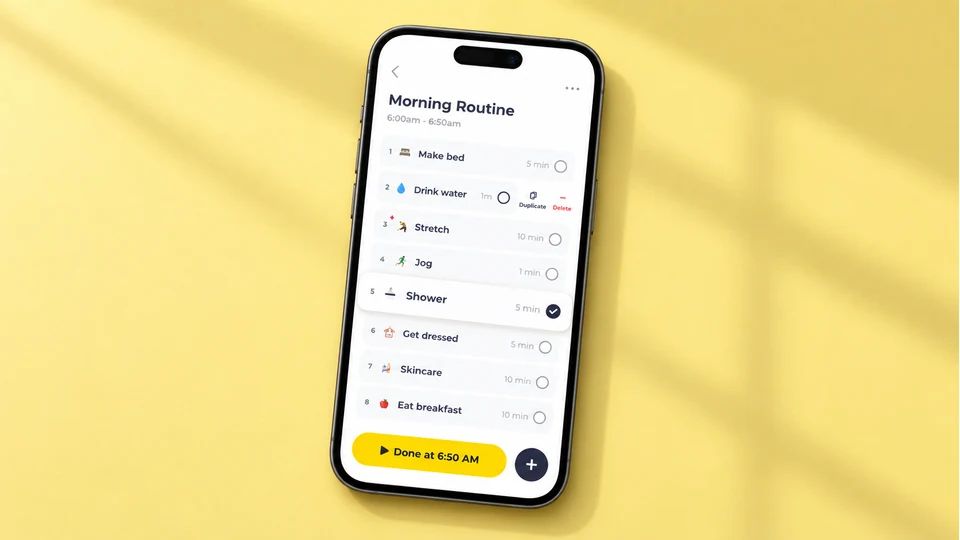
Routinery does the thing most planners leave to willpower. Instead of asking whether you did your morning routine today, it runs the routine as a timed sequence and walks you through it, one step at a time, with audio cues carrying you from brushing your teeth to stretching to sitting down with breakfast. There are ready-made templates if you'd rather not build from scratch, and it's popular with people who have ADHD and find a countdown easier to follow than a list they have to keep checking.
Routinery is on iPhone, iPad, Mac and Android, and works on a freemium model with a free tier, a subscription and a one-off lifetime option.
Best for: people who know their routine and still freeze without a nudge to start each step. Not for you if: a clock counting down every task would wind you up more than it helps.
3. TickTick: routine, calendar and to-do in one app
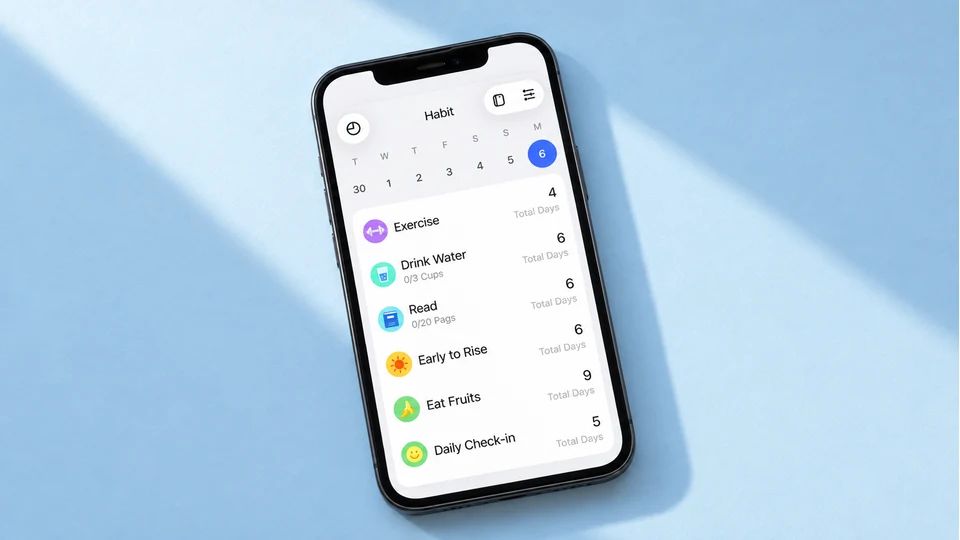
TickTick is the all-rounder. It holds your to-do list, a full calendar with time-blocking, a habit tracker and a Pomodoro focus timer in a single app, so your routine doesn't live in one place and your tasks in another. Habits sit alongside dated tasks, recurring items repeat themselves, and the calendar view shows the whole thing laid out. If you've been juggling three apps to run your day, this folds them together.
TickTick works across iPhone, Android, web, Windows, Mac and smartwatches. The free tier covers a lot, including up to five habits and a built-in calendar. Premium lifts the caps and adds two-way calendar sync, the Pomodoro timer and completion stats, at around £27 or $35.99 a year at the time of writing.
Best for: people who want tasks, calendar and routine habits under one roof. Not for you if: you find feature-heavy apps a distraction and want something plainer.
4. TimeBloc: simple visual time blocking
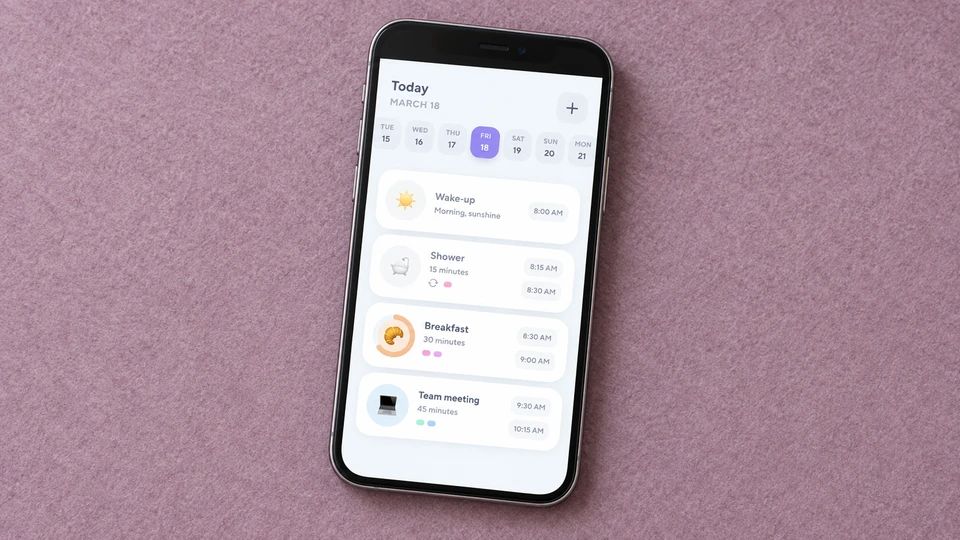
TimeBloc keeps time blocking uncomplicated. You block the day into events by the hour or minute, tell them apart with icons and coloured tags, and drag them around the timeline when the day changes on you. Plan a routine once and it drops into your timeline automatically, calendar events pull in, and a stats view shows where your hours go over time. There's less to learn here than in the bigger planners, which is the appeal.
TimeBloc is on iPhone and Android. It's freemium, with a free tier for the basics and a premium upgrade that unlocks unlimited routines, calendar integration and statistics, offered as a subscription or a one-time lifetime purchase depending on what your store shows.
Best for: people who want visual time blocking without a steep setup. Not for you if: you need deep task management or coaching alongside the blocks.
5. Tiimo: a visual planner built for busy brains
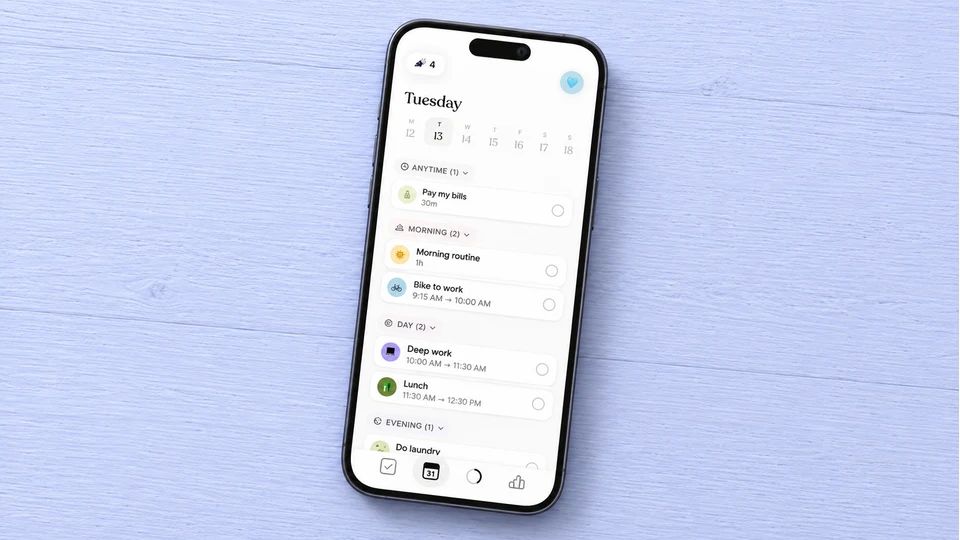
Tiimo was designed with neurodivergent users in mind, and it shows. The day is drawn out in colour-coded blocks with clear timings and gentle visual cues, it can break a big task into smaller steps, and it holds a focus timer and a mood check-in in the same place. It won an iPhone App of the Year award in 2025 and stays ad-free, which helps when the whole point is a calm screen you can plan against.
You'll find Tiimo on iPhone, iPad, Apple Watch, Android and the web. It's freemium, with a free tier for the basics and Tiimo Pro for the AI planning and advanced scheduling.
Best for: ADHD and autistic users, and anyone who plans better by seeing the day than reading a list. Not for you if: you want a text-driven task list and find the visual blocks fussy.
6. Sunsama: a deliberate daily planning ritual
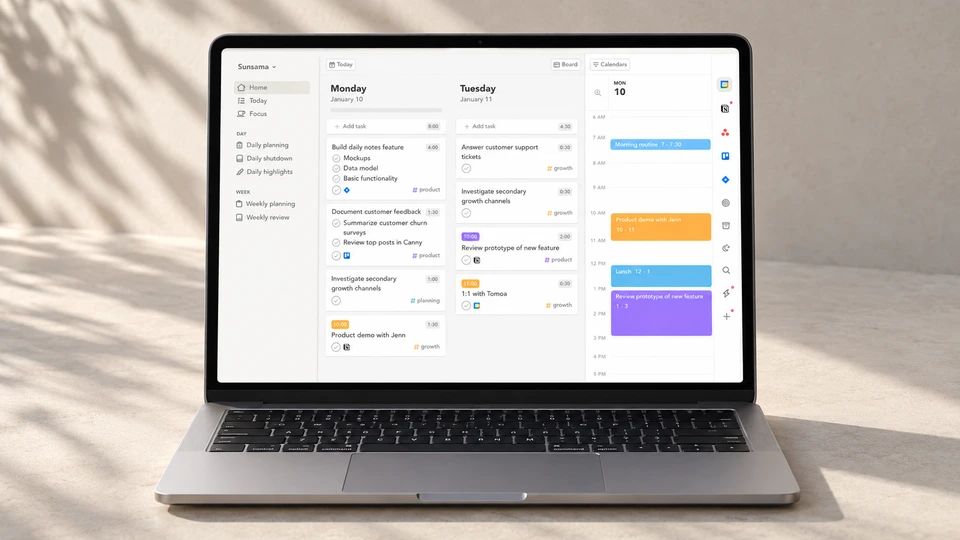
Sunsama is the serious end of routine planning, built for people whose day is a work planning session in all but name. Each morning it walks you through choosing what you'll do, pulling tasks from your calendar, email and work tools, and it nudges you to set a realistic amount so the list stays finite. It takes its time each day on purpose, because the ritual of planning is the product, and it's priced like a professional tool.
Sunsama works on the web, on Mac, Windows and Linux, and on iPhone and Android. There's no free tier. At the time of writing it's around $17 a month on the annual plan or $22 billed monthly, after a fourteen-day trial.
Best for: knowledge workers who want a considered daily planning ritual for the working day. Not for you if: you want a personal, non-work routine or something free.
7. Fabulous: routines with a coach's voice
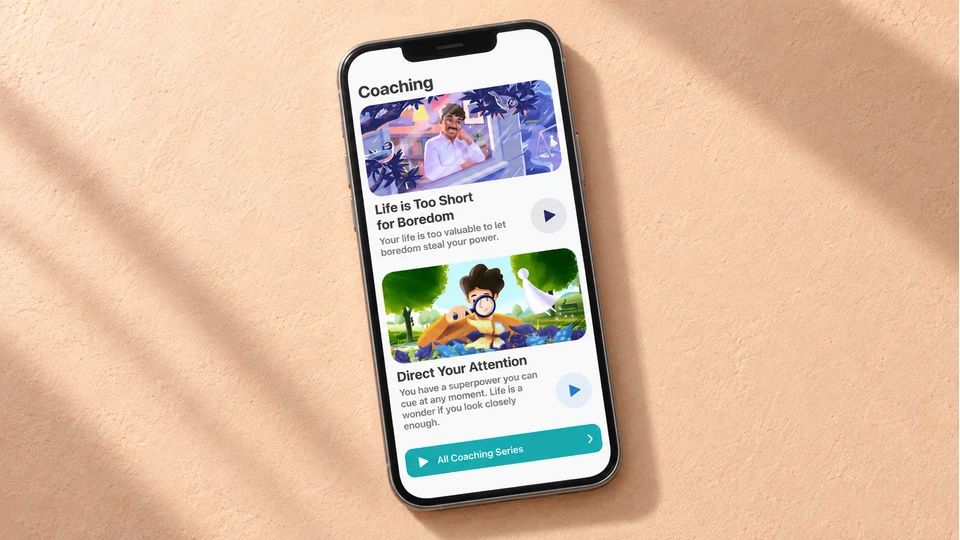
Fabulous builds your routine slowly and warmly. It grew out of behavioural science work linked to Duke University, and it tends to start you on one keystone habit, often drinking a glass of water, before layering more on over the following weeks through guided journeys. The tone is encouraging, there's a breathwork feature, and for people who've failed by starting with a ten-step routine, the slow build is the draw.
Fabulous is free to download on iPhone, iPad, Apple Watch and Android, with premium around $39.99 a year after a seven-day trial. One thing to know before you commit: reviewers report confusing billing and charges continuing after they thought they'd cancelled, so check the cancellation terms and read your store's price carefully.
Best for: anyone who wants a routine built up one habit at a time with a warm nudge. Not for you if: you already know your routine and find guided journeys slow.
8. Meadow: keep the habit side kind on an off day
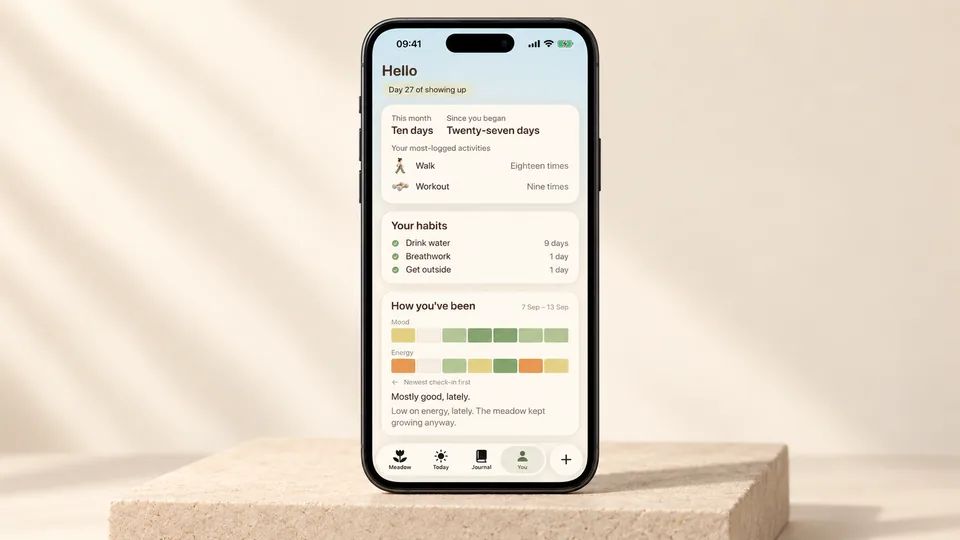
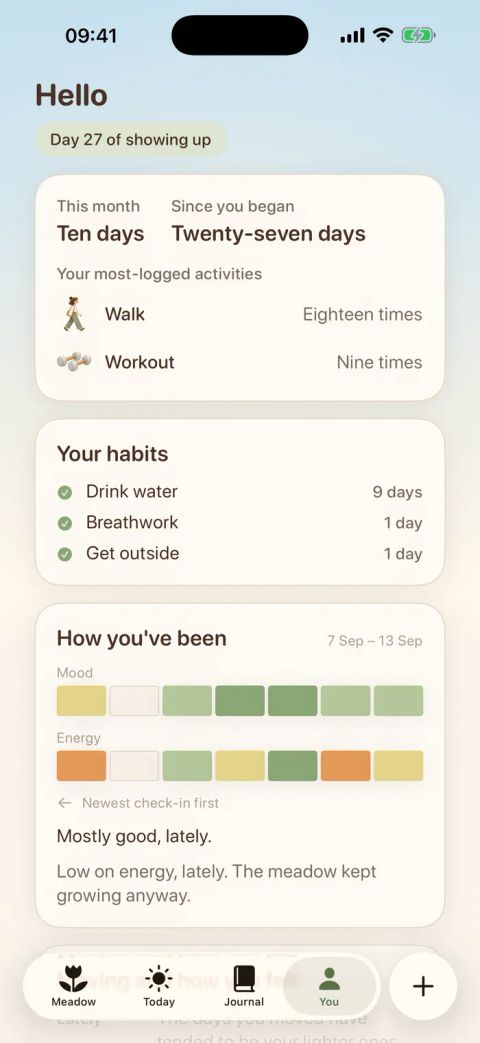
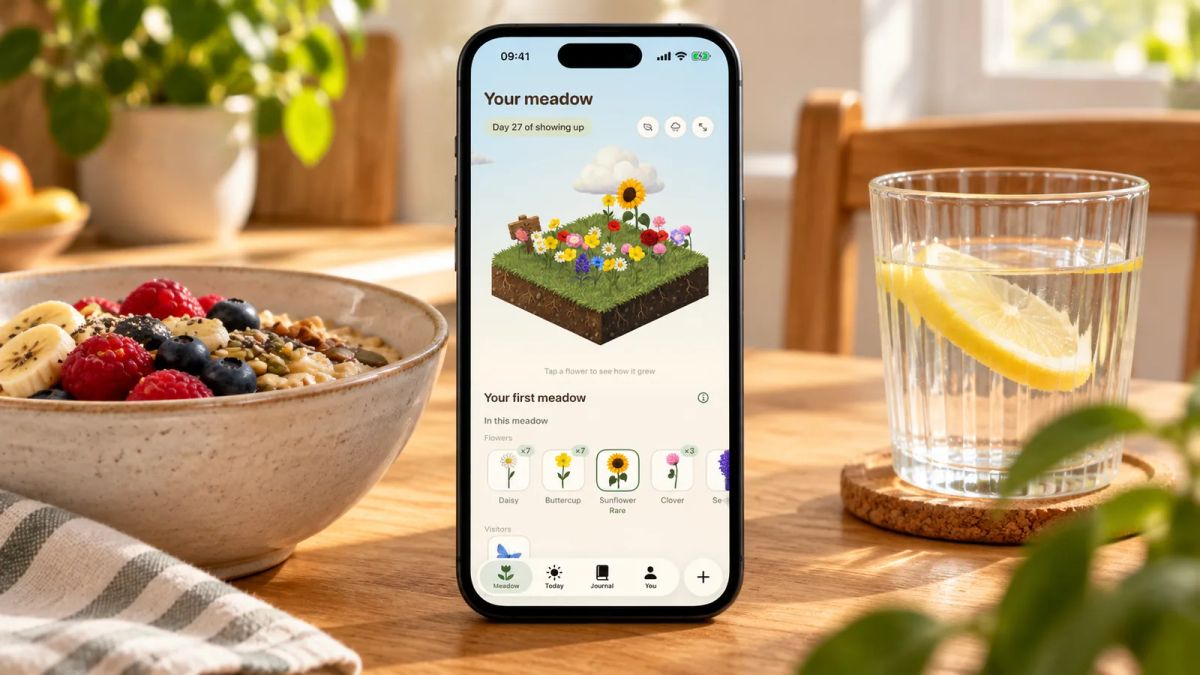
Meadow isn't a scheduler, and it won't run your day on a timer. Little and Often is run by the Meadow team, so we'll be plain about that and about where it fits. It's a gentle habit app for the small, repeatable parts of a routine: you log a bit of movement you enjoy with a timer, tick off habits like drinking water or getting outside, note your mood and energy, and jot down one good thing from the day. There's a daily affirmation to start on and a built-in breathwork feature, so you can slow your breathing beside the wildflower meadow you've grown through your own efforts. Each day you show up, a fresh flower blooms in a meadow that's yours alone, with rare blooms and the odd animal visitor turning up as it fills in.
The reason it earns a place on a routine list is what happens when the routine slips, which every routine does. There are no streaks, so miss a day, a week or a month and nothing resets and no flower wilts. You pick up when you're ready, without the sense that a gap has wiped out weeks of effort.
Meadow is a paid app and it's iPhone only, so we'll say both upfront. There's no shop and no in-app currency pushed at you. You can find Meadow on iPhone.
Best for: holding the small habits inside a routine gently, especially if a broken streak is usually what makes you quit. Not for you if: you want timed steps or a full day planner, where Structured or Routinery do more.
9. Google Calendar and Tasks: free and already on your phone
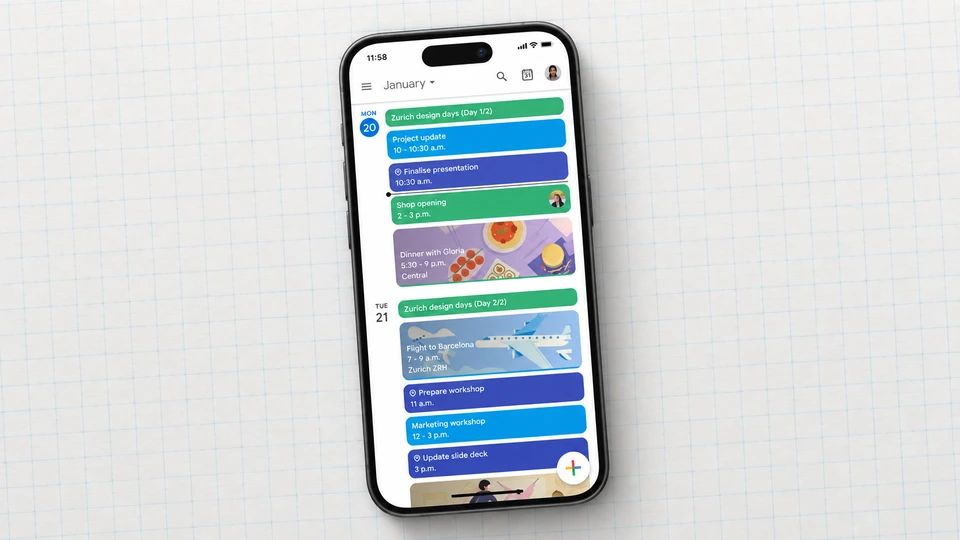
Before you download anything new, the routine app you already own is worth a look. Google Tasks is built into Google Calendar and Gmail, it's free, and it syncs across your devices with no setup. Add repeating tasks for your routine, and they show up in the calendar next to your events, so the whole day sits in one view. For a lot of people this covers the job without a second app to learn or pay for.
Google Calendar works on the web, iPhone and Android. It stays free. What it won't do is run a timed routine sequence, coach you, or give you a proper habit tracker, and it's happiest inside the Google ecosystem.
Best for: Google users who want the simplest possible routine at no cost. Not for you if: you want timed steps, habit streaks or encouragement, where a purpose-built app fits better.
How to choose the right routine app for you
Start with the exact moment your day breaks, because it points straight at the app. If you drift with no plan, a visual planner like Structured, TimeBloc or Tiimo gives the day a shape. If you know the plan and stall on the first step, Routinery runs it for you. If you're juggling separate apps for tasks and habits, TickTick folds them together, and if planning the working day is the real task, Sunsama makes a ritual of it. Want a warm build-up from one habit? Fabulous. Want to keep a few small habits kind on the days you slip? Meadow. Want to spend nothing and use what you own? Google Calendar and Tasks.
Then weigh cost against how you'll use it. Most of these are free to try, and several stay useful for nothing, so there's no need to pay on day one. Sunsama is the outlier, with no free tier and a professional price, which makes sense only if a daily planning ritual for work is what you're buying.
Two ideas make any of these work better than the app alone. The first is attaching your routine to something you already do. James Clear calls this habit stacking, using the formula "after I [current habit], I will [new habit]", and the trick is picking a specific, reliable anchor so the app's first prompt fires at a moment you never skip, like the kettle going on. The second is that the tracking itself pulls its weight. A meta-analysis of 138 studies covering nearly 20,000 people found that frequently monitoring progress towards a goal was associated with a greater chance of reaching it, and the effect was strongest when people physically recorded their progress. The tool that holds the record counts for less than keeping one at all.
An app is a tool, not the routine itself. If you're still designing yours, our guide to picking a morning routine app goes deeper on the first hour of the day, building a morning routine covers the shape of a good one, and how to stick to a routine is worth reading before the novelty of a new download wears off.
Tonight, before you close your phone, pick the one app that matches where your day goes wrong, add a single routine tied to something you already do, and set one reminder. That's the whole first step. The rest is showing up tomorrow.
AUTHOR
Co-founder of Meadow.
Ash is co-founder of Meadow, a habit and movement tracking app that turns small acts of self-care into a growing wildflower meadow.
See how far you've come
Your habits, moods and little wins, all in one place
Meadow keeps track of the walks, the water and the good days, so you can look back and watch your effort add up.
Download Meadow