The best routine app for ADHD is the one that holds the parts of a routine your brain keeps dropping: that the next step exists, that time is passing, and that starting is the hard bit. No app treats ADHD, and the right one takes weight off working memory so a plan can survive a real Tuesday.
That's a different job from a tidy to-do list. An ADHD routine app has to make time visible, cut the gap between a thought and a saved task, nudge you when a step is due, and forgive the days the whole thing falls over. The picks below are sorted loosely by which of those jobs each does best, so you can choose for the part of your routine that keeps breaking.
One thing said plainly up front. Little and Often is run by the Meadow team, so our own app is in this list. We've kept it to the job it does well and pointed you elsewhere where another tool fits better.
What to look for in an ADHD routine app
Before the list, here's what tends to separate an app you'll still open in three weeks from one you'll forget by Thursday.
- It makes time visible. Time blindness is one of the most common ADHD experiences, so a visual timeline or a countdown does more than a static list.
- It's quick to capture. If saving a task takes six taps, the thought is gone before you finish.
- Its reminders arrive, and arrive again. One silent notification at 9am is easy to swipe away and never think about.
- It doesn't punish a bad week. Streak counters that reset to zero tend to trigger the shame-then-quit loop a lot of ADHDers know well.
- It can borrow someone else's focus. Body doubling, working alongside another person, is a well-known ADHD strategy, and a few apps build it in.
Most apps do one or two of these well. Match the app to your weak spot and you'll get more from it.
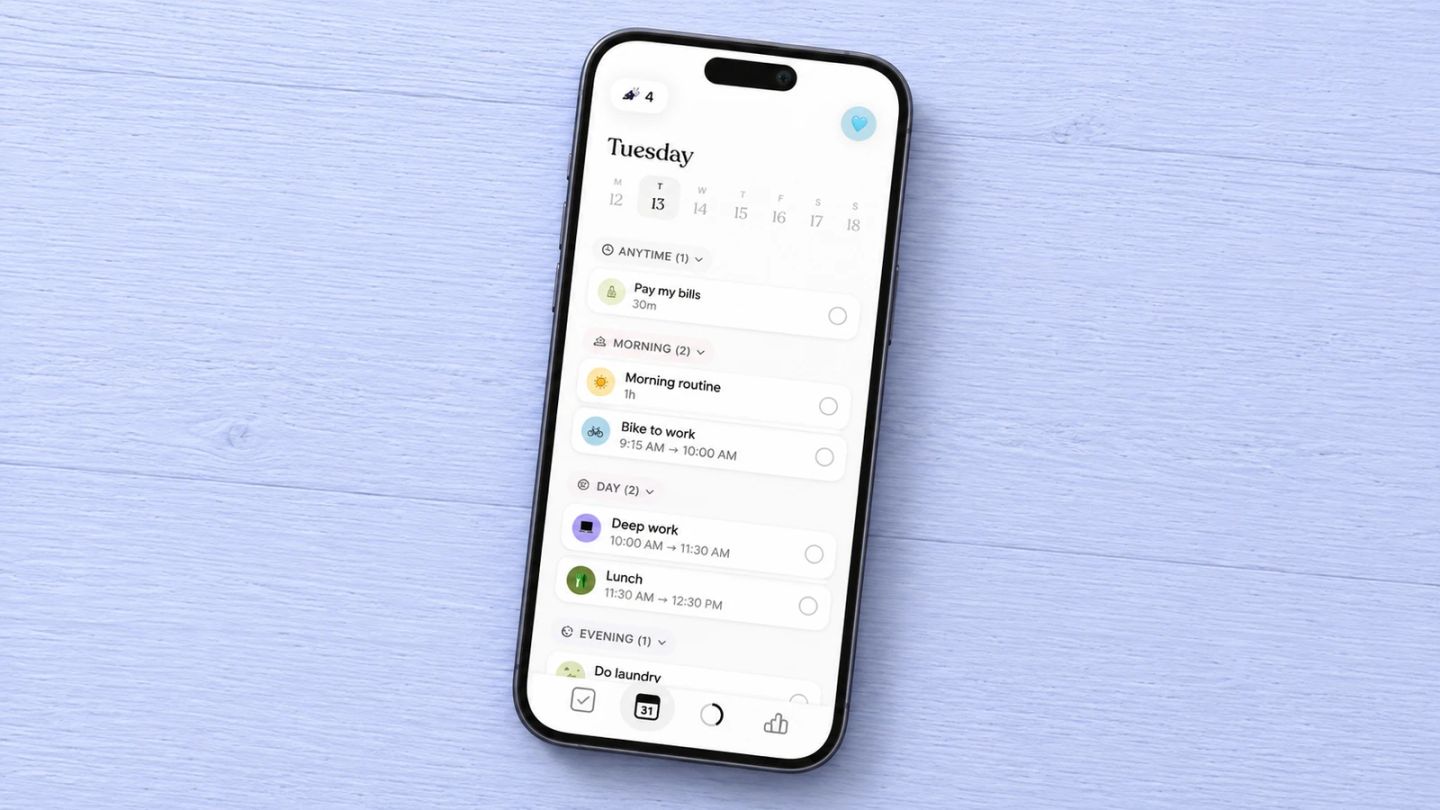
Tiimo, for a day you can see
Tiimo was built for neurodivergent brains from the start, and it shows in how it draws the day. Instead of a flat checklist, your schedule runs as a visual timeline with colours, icons and a circular timer counting down the current task, so time stops being an abstraction you keep misjudging. There's an AI planner that breaks a vague task into steps and estimates how long each will take, which helps when "tidy the kitchen" is too big to start. It won iPhone App of the Year at the 2025 App Store Awards.
Tiimo runs on iPhone, iPad, Apple Watch, Android and the web, with a free tier that covers the planner, to-do lists and focus timer, and a paid Pro subscription that adds the AI breakdown and custom widgets.
Best for: people whose main problem is losing track of time and needing the day laid out visually. Not for you if: you want something minimal and find a colourful, feature-rich planner overwhelming.
Structured, for slotting the routine into the whole day
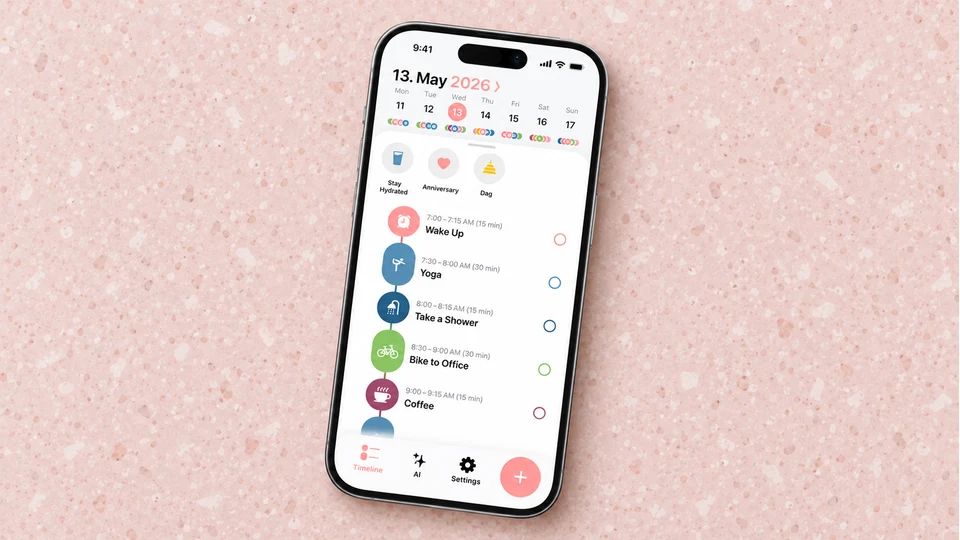
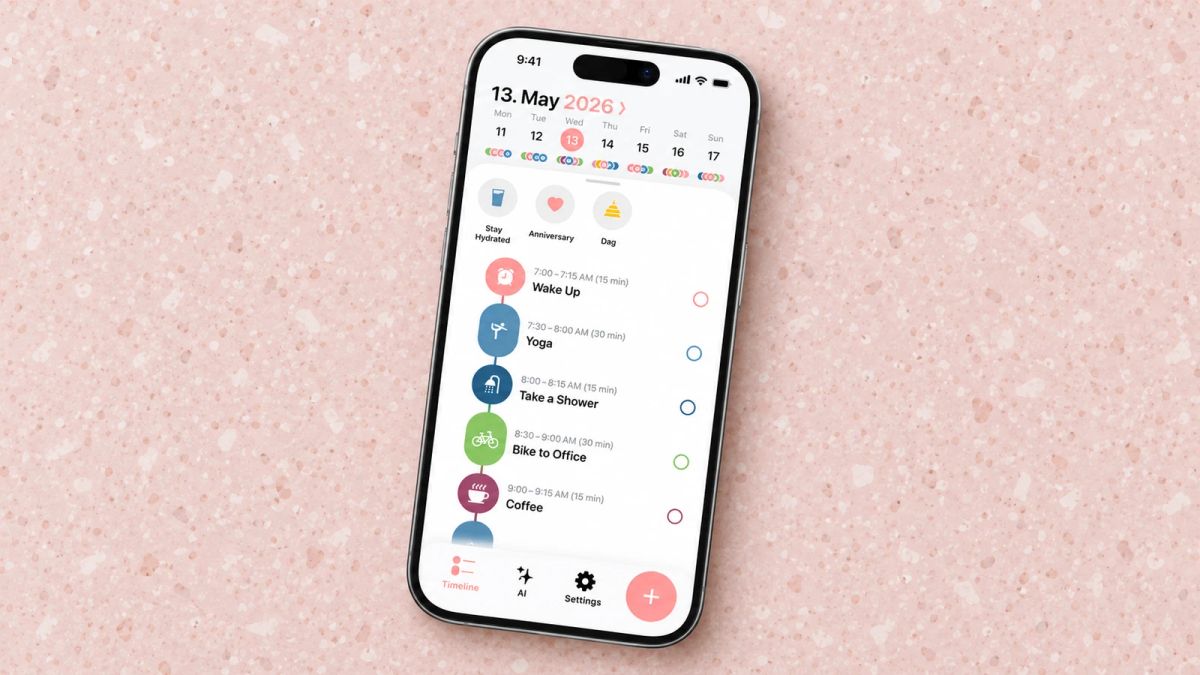
Structured shows your day as one vertical timeline instead of a to-do list, with morning tasks, calendar events and repeating routines sitting in order down the screen. You drag things into place, and a built-in focus timer keeps you on one item before the next. It's a favourite among people who think in time blocks, and it's often recommended as an ADHD routine app for exactly that reason, since seeing the day as a filled-in shape is easier to act on than a stack of unordered boxes.
Structured is free across iPhone, iPad, Mac and Apple Watch, with a Pro tier on monthly, annual or one-time lifetime plans. Prices vary by region, so check the current listing.
Best for: people who want their routine to sit inside a clear plan for the whole day. Not for you if: a timeline of everything ahead feels like pressure before you've had coffee.
Routinery, for when you know the steps but can't start
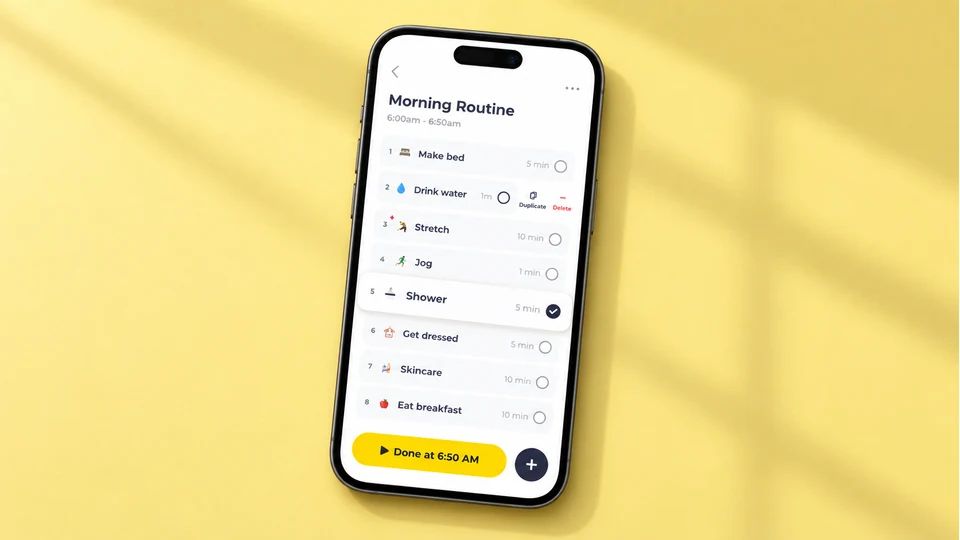
Routinery is built for the routine you can picture and still can't begin. You load a sequence, say brush teeth, stretch, make coffee, and the app runs each step on a timer with a voice cue, so you move through it instead of staring at a list and drifting. That timed, one-step-at-a-time push is aimed squarely at task initiation, the moment ADHD tends to stall. It was an App Store App of the Day in 2025.
Routinery is free to download on iPhone, iPad, Mac and Android, with a Premium subscription that varies by region and plan.
Best for: people who freeze without a nudge and want each step timed for them. Not for you if: a clock counting down every task would wind you up more than it helps.
Llama Life, for doing one thing at a time
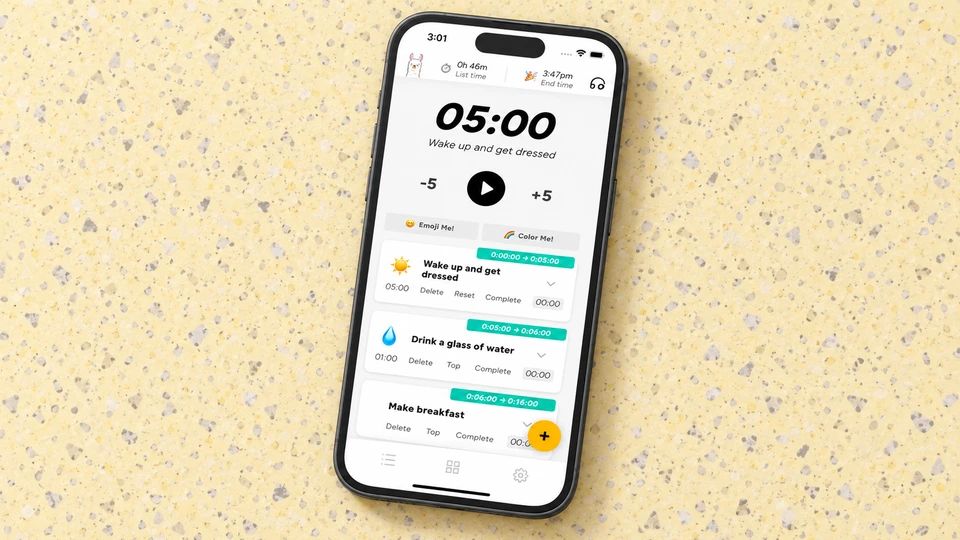
Llama Life narrows the day to a single task with a timer on it, which is the opposite of the endless scrollable list that makes an ADHD to-do app feel like a wall of failure. You give each task a rough time, the app shows you when your list should finish, and background sounds or chimes keep you on the one thing in front of you. That end-time visibility is the clever part, because it makes over-planning obvious before the day starts, not at 5pm when nothing's done.
Llama Life works on iPhone, Android and desktop, syncs with Todoist, and runs as a paid subscription after a short free trial.
Best for: chronic over-planners who need to single-task and see a realistic finish time. Not for you if: you want a free option or a full calendar and long-term project view.
TickTick, for catching the thought before it's gone
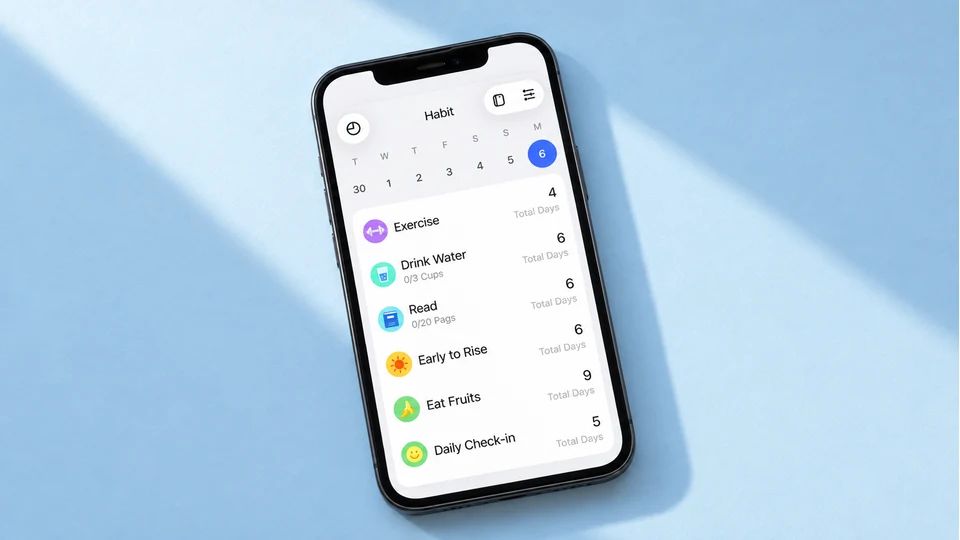
TickTick earns its place on capture speed, because the gap between having a thought and saving it is where ADHD loses things. You tap add, type "call dentist tomorrow at 2pm", and its smart recognition reads the date and sets the reminder for you. It stacks multiple reminders, time and location alerts, subtasks for breaking things down, and a built-in Pomodoro timer, and it syncs everywhere so the task you added on your phone is on your laptop too.
TickTick is on web, iOS, Android, Mac, Windows and Apple Watch, with a capable free plan and a paid Premium tier for calendar views and more.
Best for: people who need to capture tasks in seconds and be reminded more than once. Not for you if: you want a visual, timeline-first layout rather than a flexible list.
Finch, for a routine that feels kind
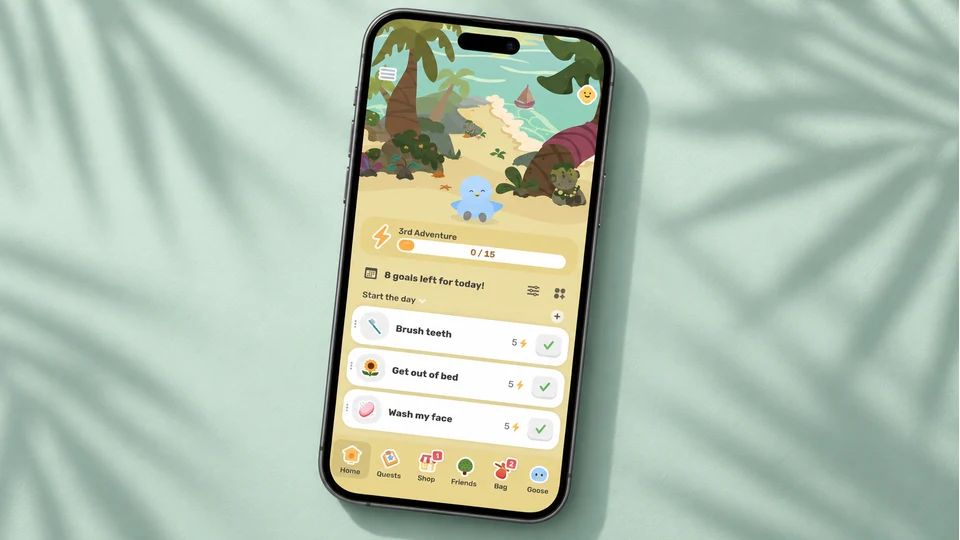
Finch wraps self-care and small daily habits around a pet bird you name and look after. You set little goals, breathing exercises, a reflection, drinking water, and completing them helps your bird grow, which turns a checklist into something you're doing for a small creature instead of for a productivity score. Neurodivergent users often report sticking with it when other apps didn't take, partly because it doesn't lean on streaks, so coming back after a rough patch doesn't hand you a reset and a fresh dose of guilt.
Finch is on iPhone and Android, with its core self-care features free and a paid Finch Plus tier for extra customisation and content.
Best for: people who bounce off strict productivity apps and want their routine to feel warm and low-stakes. Not for you if: you need firm time-blocking and precise scheduling.
A place to keep the habit without the guilt
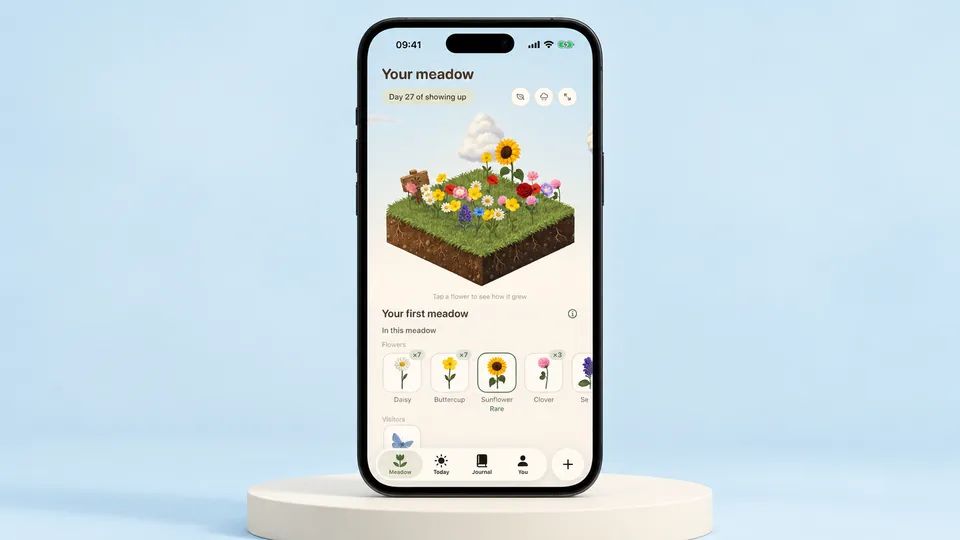
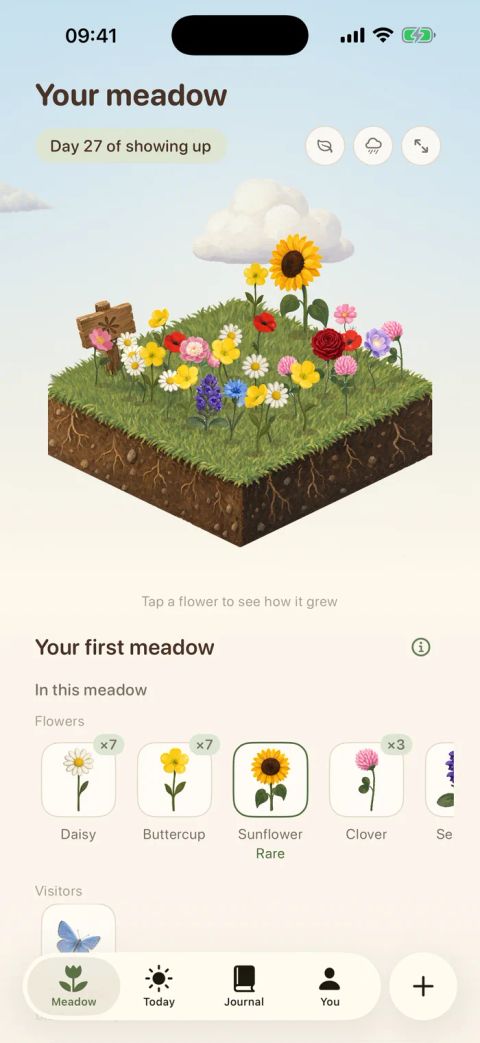
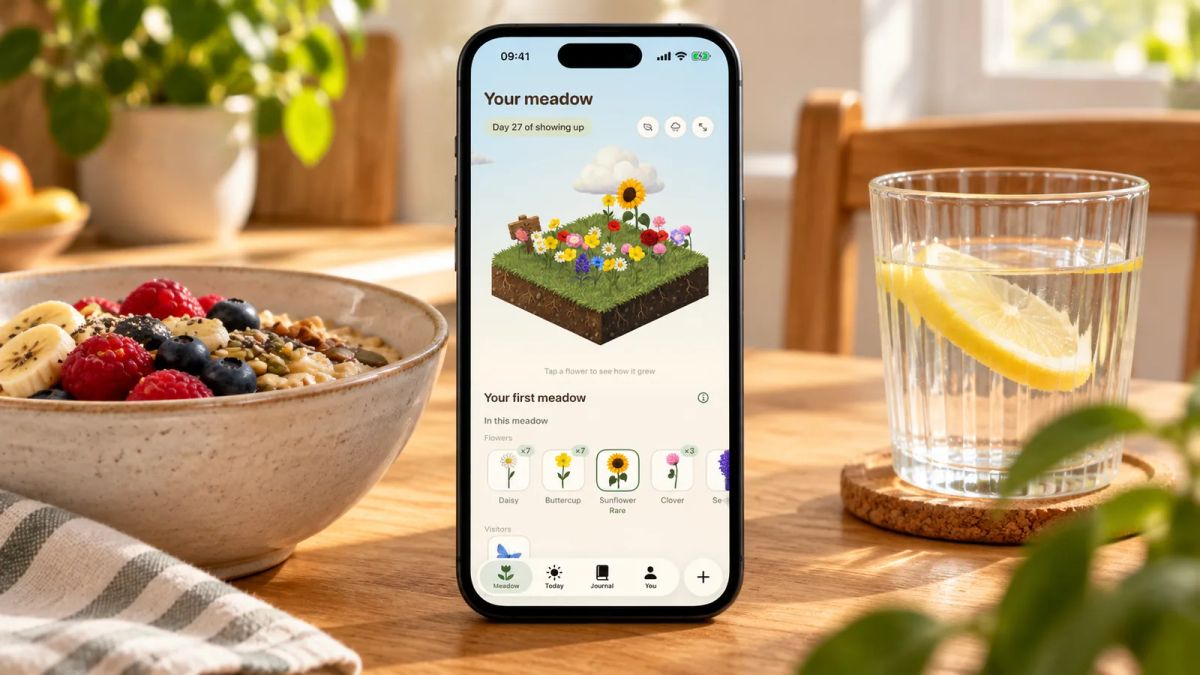
Some mornings go to plan and some collapse before you've stood up, and the streak counter resetting to zero is often the thing that makes people quit an app for good. Meadow leaves that mechanism out on purpose. It's a habit and movement app where each day you show up, log a walk or a few minutes of movement, tick off a small habit like getting outside, note your mood and energy, a new wildflower blooms in a meadow that's yours alone, with rare flowers and the odd animal visitor turning up as it grows. Miss a day, a week or a month and nothing resets. Your flowers don't wilt, and you pick up whenever you're ready, which suits the ADHD guilt cycle far better than a punishment for slipping. There's a breathwork feature too, so you can slow your breathing alongside the meadow you've grown.
Little and Often is run by the Meadow team, so here's the honest framing: Meadow is a paid app, and it's iPhone-only. It won't run your morning on a timer or plan your whole day. What it does is keep the habit side of a routine kind on the days you slip, which for a lot of people is the exact reason previous apps didn't last.
Best for: tracking a few small routine habits when a broken streak is usually what makes you give up. Not for you if: you need timed steps, calendar planning or an Android app.
Focusmate, for borrowing someone else's focus
Focusmate is the odd one out here, because it isn't a planner at all. It pairs you with another person for a timed video session where you both say what you'll work on, work quietly with cameras on, then check in at the end. That's body doubling, and the quiet accountability of a real human expecting you to show up is often the activation energy an ADHD brain needs to begin a task it's been avoiding for days. Sessions run 25, 50 or 75 minutes.
Focusmate works in your browser on desktop and mobile with nothing to install, gives you a few sessions a week free, and offers unlimited sessions on a paid plan.
Best for: people who work far better with someone else present and struggle to start alone. Not for you if: video calls with strangers feel worse than the task you're avoiding.
How to choose the one for you
Start with the exact place your routine breaks, because that points straight at the app.
- Lose track of time and misjudge how long things take? A visual, timeline app like Tiimo or Structured.
- Know the steps and still can't begin? Routinery to walk you through them, or Focusmate to borrow another person's focus.
- Over-plan and end the day with nothing finished? Llama Life, to single-task with a realistic finish time.
- Keep losing tasks between thinking of them and doing them? TickTick, for fast capture and reminders that repeat.
- Quit every app the moment you miss a day? Finch or Meadow, where a bad week doesn't reset you.
Then weigh cost against how you'll use it. Several here are free to start or stay useful on their free tier, so there's no need to pay on day one, and app prices shift by region and plan, so check the current listing before you subscribe.
Two habits make any of these work better than the app alone. The first is tying your first routine step to something you already do without thinking, like the kettle going on, an approach the American Heart Association describes as one of the more reliable ways to make a habit stick. The second is keeping the record at all, whatever tool holds it: a meta-analysis of 138 studies found that prompting people to monitor progress towards a goal improved how often they reached it, across many kinds of goal.
An app is scaffolding, not the routine itself. If you're still designing yours, our guide to an ADHD morning routine covers the shape of a first hour that survives an ADHD brain, how to build habits with ADHD digs into why habits form differently and what helps, and if your focus is the first hour specifically, the wider roundup of the best morning routine app options sorts them by what your morning needs.
Before tomorrow, pick the single app that matches where your routine breaks, set up one step tied to something you already do, and leave everything else off. One step you keep beats a perfect system you download on Sunday and abandon by Friday.
AUTHOR
Co-founder of Meadow.
Ash is co-founder of Meadow, a habit and movement tracking app that turns small acts of self-care into a growing wildflower meadow.
Little and often, with Meadow
Consistency, not intensity.
Meadow turns the movement you enjoy and the habits that help you feel good into a meadow of wildflowers. No streaks to break, and your flowers never wilt.
Download Meadow