
A habit tracker you look forward to opening has already done half its job. When the app is a pleasure to look at, tapping in your morning water or your evening walk stops feeling like admin and turns into a small treat. That's the appeal of a cute habit tracker app. The design pulls you back day after day, and the consistency follows.
So this list is about the apps that get the feel right, the ones with soft colours, satisfying little animations and some warmth to them, alongside the practical basics you still need. A tracker has to remind you, show you a clear daily view and let you see progress, or the prettiness is wasted. An aesthetic habit tracker app only earns its place if it also helps you keep the habit.
Before the list, one thing said plainly. Little and Often is run by the Meadow team, so our own app sits at the top. We think it fits this brief better than anything else we've used, and we're honest below about who it suits and who would be happier elsewhere. Most of the apps here are lovely, so read past Meadow if it isn't for you.
1. Meadow: the loveliest way to watch your effort add up
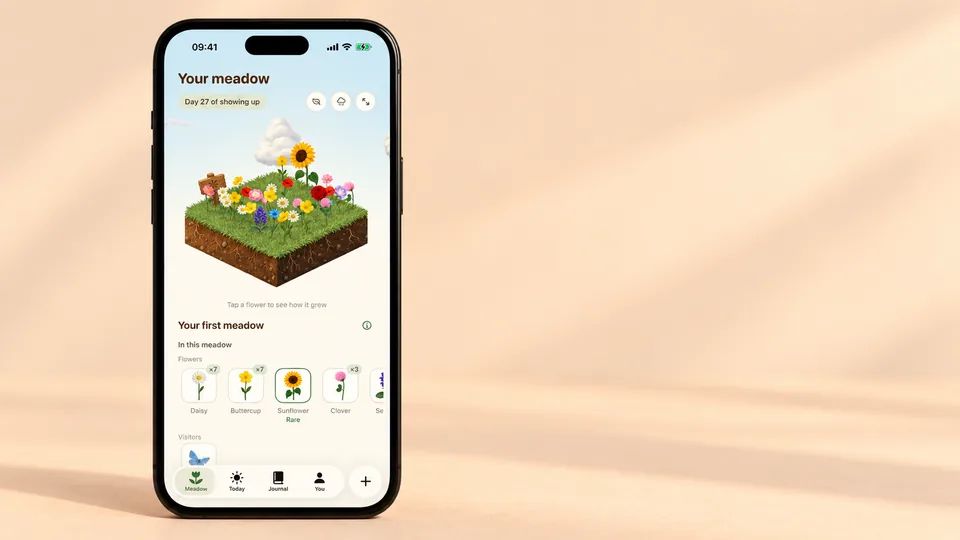
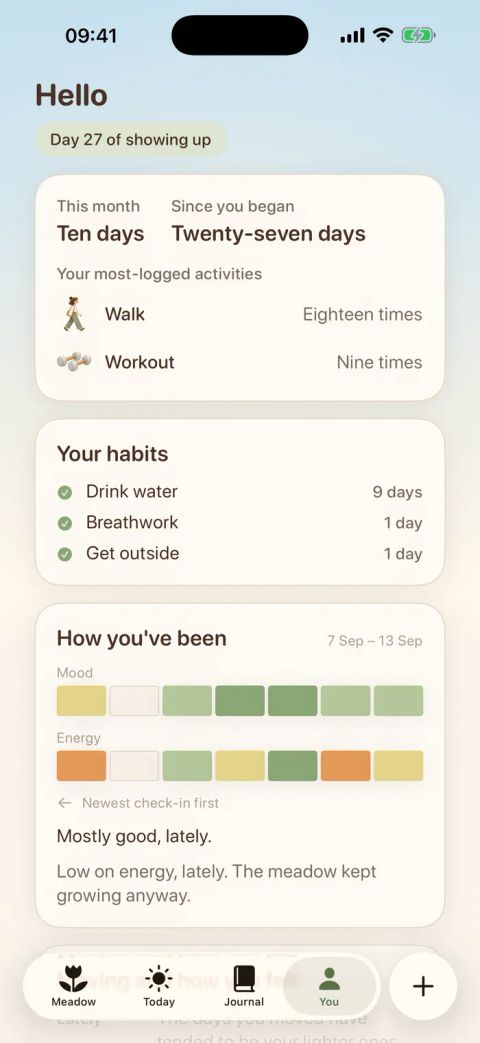
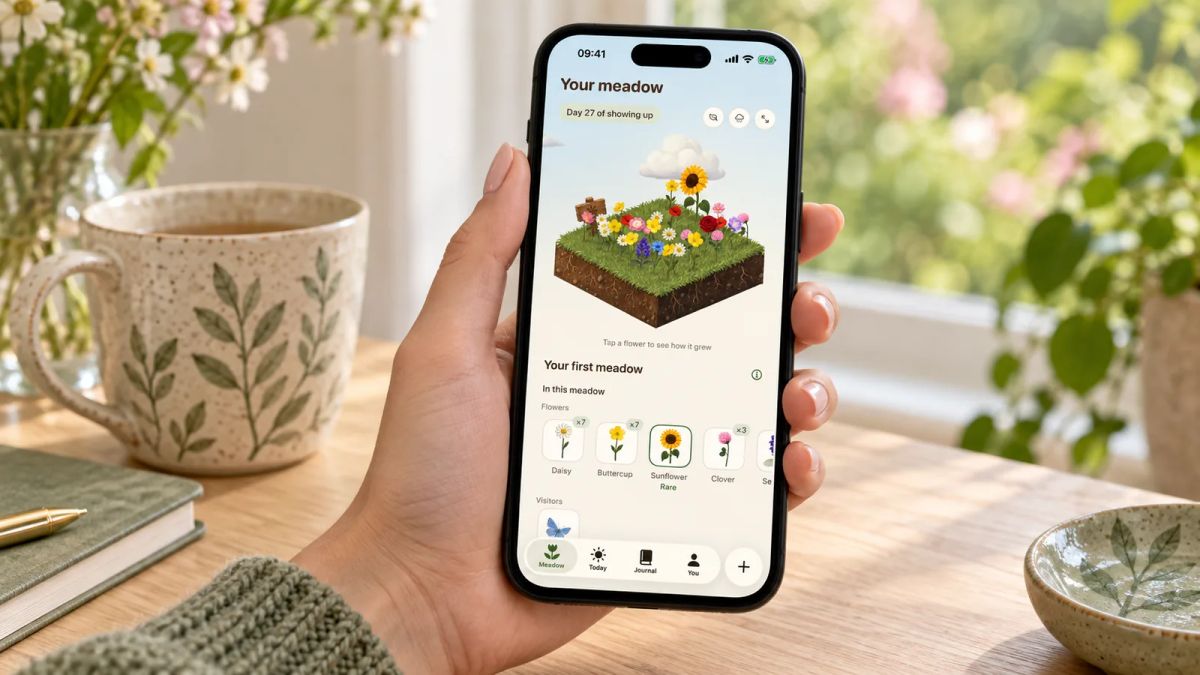
Meadow turns each day you show up into a wildflower. Log a walk, a few minutes of yoga or a dance on the timer, or tick off a small habit like drinking water, and a fresh flower blooms in a meadow that's entirely your own. Keep going and it fills in, with rarer flowers and the odd animal visitor arriving as it grows. This is the prettiest version of progress on the list, because your progress is a real landscape you're slowly planting.
The feel is calm by design. There are no streaks, so miss a day, a week or a month and nothing resets and no flower wilts. You pick up whenever you're ready. Meadow also has a breathwork feature, so you can sit and breathe alongside the meadow you've grown when a day feels like a lot. It is a paid app and it is iPhone only, which are the two honest catches worth naming upfront. Little and Often is run by the Meadow team. You'll find Meadow on iPhone.
Best for: anyone who wants tracking to feel gentle and beautiful, especially if you've quit before over one broken streak. Not for you if: you're on Android, or a free option is a must.
2. Finch: a cute pet bird that looks after you back
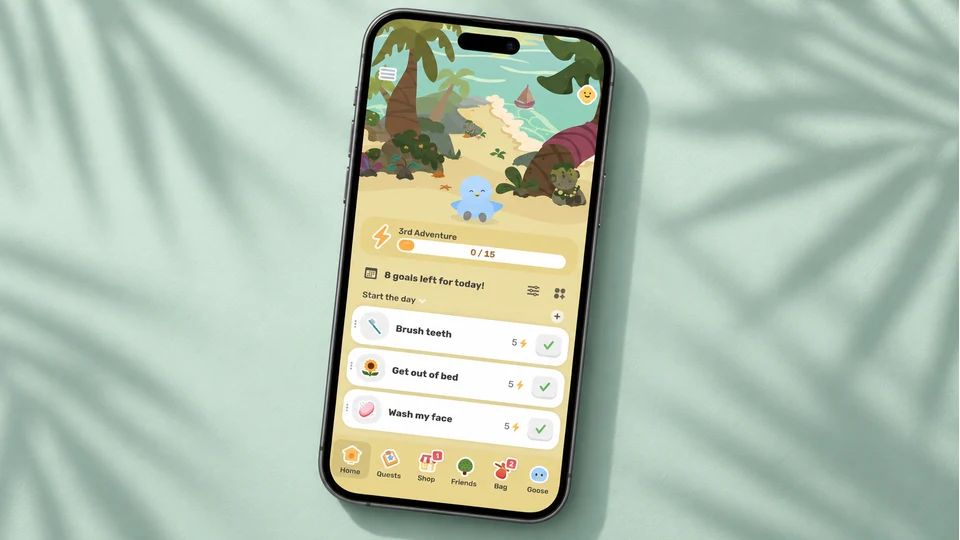
Finch wraps self-care in a small bird you name and raise. You do a breathing exercise, note your mood, journal a line or tick off a goal, and your Finch earns energy to set off on little adventures. The art is soft and rounded, the bird is endearing, and the tone never scolds you for a quiet day. It leans towards mental wellbeing more than strict habit stats, and that's the point of it.
Finch is free to download with an unusually generous free tier, and an optional Finch Plus subscription adds outfits, soundscapes and extra customisation you can happily ignore. It runs on Finch for iPhone and iPad, with an Android version too, and it sits among the highest-rated wellbeing apps on the store.
Best for: people who want warmth and encouragement more than numbers. Not for you if: you want detailed heatmaps and streak stats across a long list of habits.
3. Habit Rabbit: a cosy burrow that brightens as you go

Habit Rabbit gives you a rabbit whose home gets tidier, warmer and more colourful the more habits you complete. Ticking things off earns carrots, and you spend those on outfits and furniture, so the reward is watching a little space fill with things you picked. There's mood tracking, a habit timer with breathing exercises and a bit of daily encouragement folded in. It's sweet.
The app is free with in-app purchases for carrot bundles and extras, and reviewers rate the free tier as roomy for what you get. Habit Rabbit is on iPhone, iPad and Mac. A few people mention a fiddly first tutorial and regular prompts to upgrade, so go in expecting some nudging.
Best for: anyone who loved the Animal Crossing feeling and wants decorating as their reward. Not for you if: frequent upgrade prompts put you off.
4. Everyday: a colour grid that gets prettier the more you do
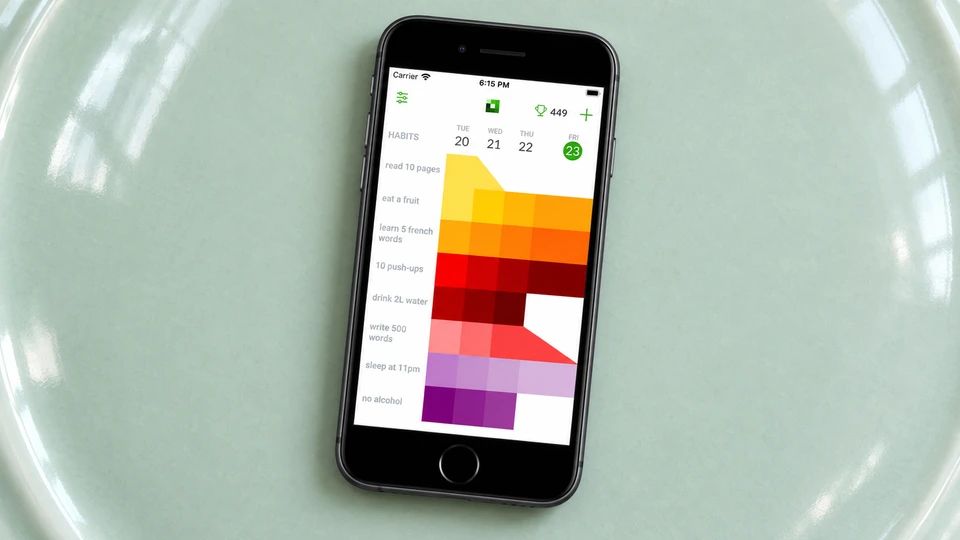
Everyday shows your habits as a board of coloured squares, one row per habit, filling in as the days pass. The look is minimal and tidy, and the pull is watching the grid deepen in colour across a good week. It runs on the classic don't-break-the-chain idea, with a skip option for days a habit doesn't apply, plus clean stats on your current and longest runs.
The free version covers a small number of habits, and premium opens up unlimited habits and the full statistics on a monthly, annual or lifetime basis. Everyday runs on iPhone, iPad, Mac, Apple Watch and the web, so your board follows you around.
Best for: people who find a slowly filling colour grid quietly motivating. Not for you if: an unbroken chain is the thing that makes you give up.
5. Dots: elegant dot tracking with widgets you'll leave on show
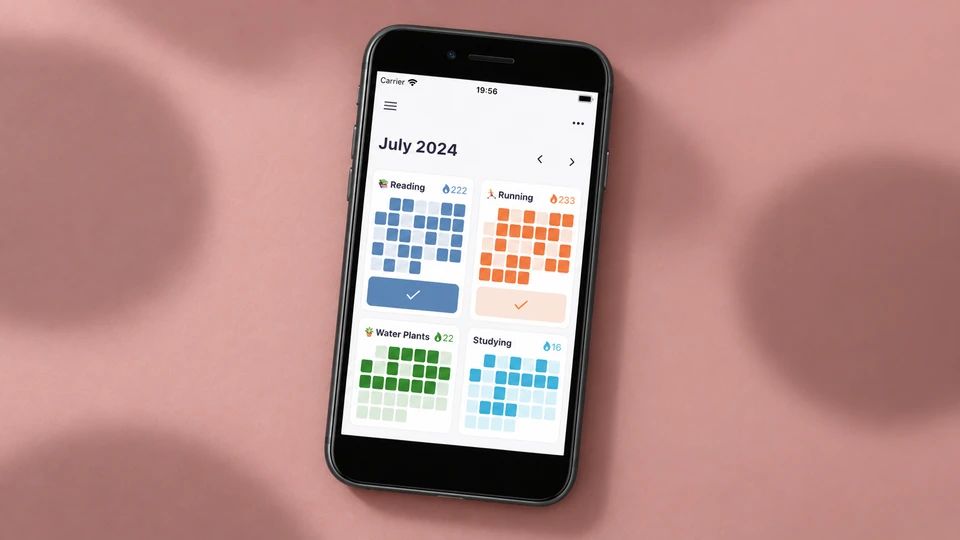
Dots records each habit as a growing field of dots, one tap a day, in whatever colour you assign it. This is about as minimal as tracking gets, and the home and lock screen widgets look tidy enough that people keep them on display. Calendar and timeline views let you look back over a habit, and everything stays on your own device rather than a server somewhere.
Dots is free to download on iPhone, with in-app purchases for custom fonts and colours and a lifetime option for anyone who dislikes subscriptions.
Best for: minimalists who want a pretty widget and one-tap logging. Not for you if: you need cross-platform sync or deep analytics.
6. Streaks: an Apple Design Award winner that's a pleasure to use
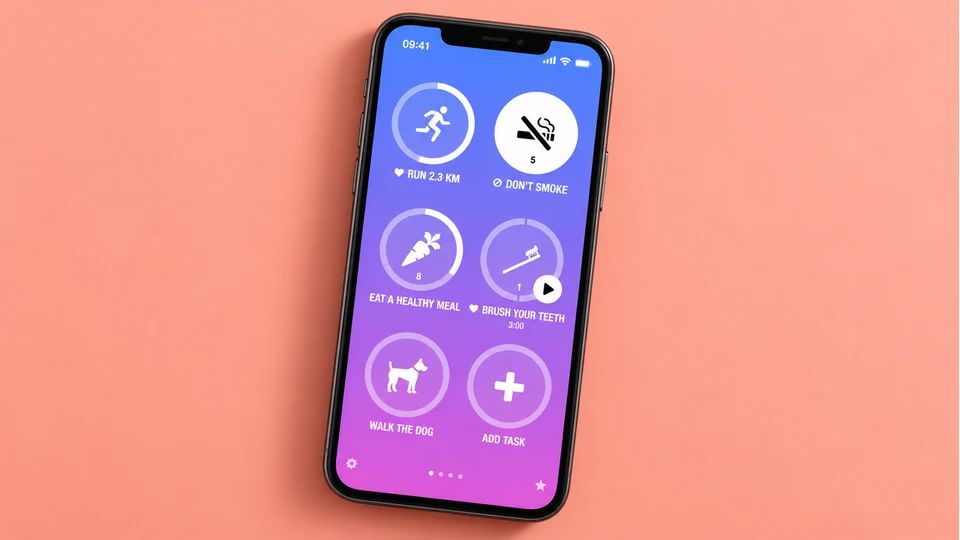
Streaks won an Apple Design Award, and it shows in the crisp icons, smooth animations and the satisfying tick when a task is done. It's built around consecutive days, handles up to two dozen tasks, and links to Apple Health so things like water and workouts can complete themselves when your phone already knows you did them.
Streaks is a one-time purchase with no subscription, and it runs across iPhone, iPad, Apple Watch and Mac.
Best for: Apple users who want polish and would rather pay once than add a monthly bill. Worth knowing: it's streak-first, so a broken chain can sting if that's usually what derails you.
7. Habitify: clean, calm and the same on every device
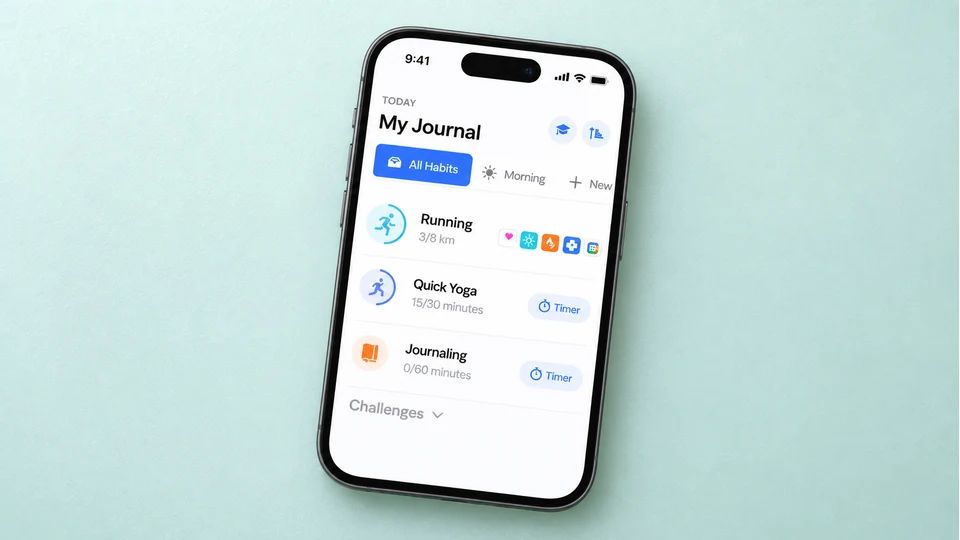
Habitify is the tidy, minimal pick for people who like a little data with their calm. The interface is uncluttered, dark mode looks sharp, and you get calendar streaks, notes, mood logging and clear charts that sync across your phone, watch, Mac and the web. It's the closest thing here to a beautiful spreadsheet, in a good way.
There's a free tier capped at a few habits, with premium lifting the cap and adding smarter reminders, available monthly, annually or as a one-off lifetime purchase. Habitify covers iPhone, Android, Mac, Apple Watch and the web.
Best for: people who want minimalist looks and proper stats on every device. Not for you if: a handful of habits is your limit, since the nicer features sit behind the paywall.
8. Habitica: retro pixel-art charm that turns habits into a game
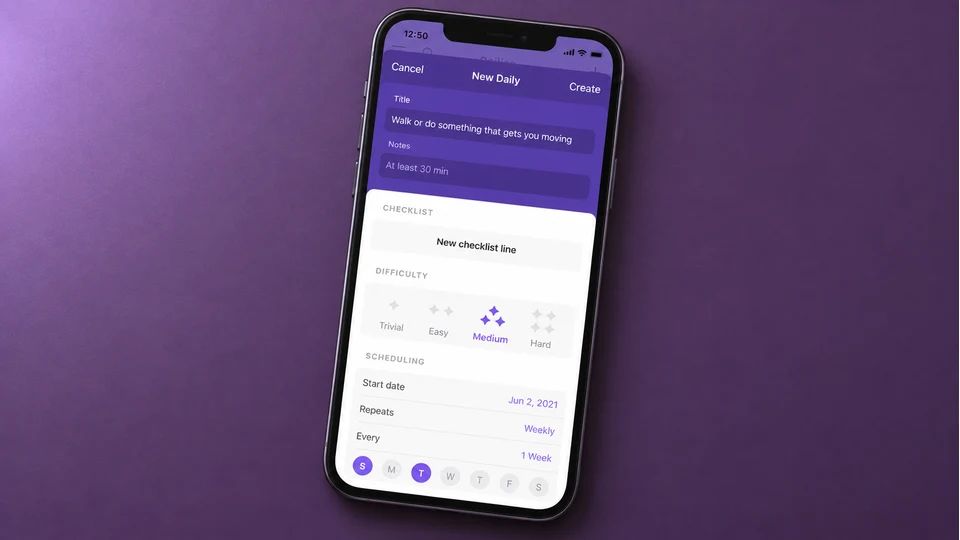
Habitica is the cutest option if your taste runs to 16-bit games. You build a little pixel character, real habits earn gold and experience, and skipping them costs your character health. Join a party and your slacking dents the group, which adds a friendly nudge on top of the nostalgia. The whole thing is warm, blocky and playful.
It's free to use, with an optional subscription that adds cosmetics and convenience while the core game stays free and ad-free. Habitica runs on iPhone, with an Android app and a web version so one account follows you everywhere.
Best for: people who grew up on role-playing games and want play with their progress. Not for you if: managing a game would feel like one more chore.
How to pick a pretty tracker you'll keep using
Start with how a design makes you feel, because that's what brings you back tomorrow. If soft and soothing keeps you steady, Meadow or Finch suit you. If a filling colour grid or a growing field of dots scratches the itch, Everyday or Dots do that well. If you want play, Habitica and Habit Rabbit turn the whole thing into a game you tend.
Then check the dull practicalities before you commit, because good looks fade fast when the basics annoy you daily:
- Reminders you can shape around your real day, not a single fixed ping you'll learn to swipe away.
- A daily view you can read in a second, so logging takes one glance and one tap.
- Somewhere to see progress build, whether that's a chart, a chain, a grid or a meadow.
- The right platform and a price you're happy with, since an Android user can't run an iPhone-only app however pretty it is.
One more thing worth knowing. The act of tracking has decent evidence behind it, whatever tool holds it. A meta-analysis of 138 studies found that prompting people to monitor their progress towards a goal improved how often they reached it, across many different goals. A lovely app makes that daily check-in something you want to do, which is half the battle.
If you want to go deeper, our roundup of the best habit tracker app for iPhone weighs features and prices in more detail, our guide to what a good habit tracker should do covers the basics, and habits to track gives you ideas for what to log first.
Tonight, pick the one whose screenshots made you smile, download it, and add a single habit tied to something you already do each day. Set one reminder. That's the app you'll open tomorrow, and tomorrow is the whole game.
AUTHOR
Co-founder of Meadow.
Ash is co-founder of Meadow, a habit and movement tracking app that turns small acts of self-care into a growing wildflower meadow.
See how far you've come
Your habits, moods and little wins, all in one place
Meadow keeps track of the walks, the water and the good days, so you can look back and watch your effort add up.
Download Meadow