
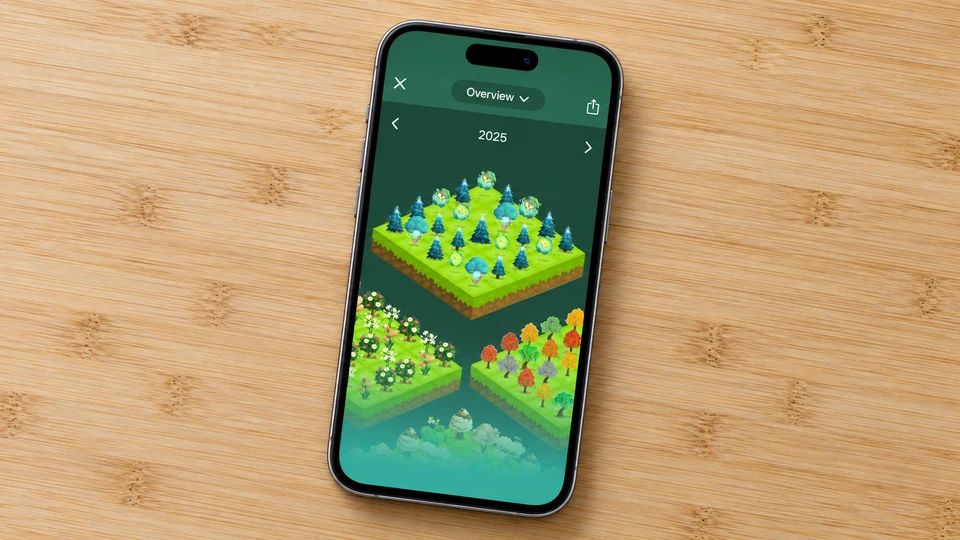
Forest is the tree you grow by leaving your phone alone. You set a timer, plant a sapling, and it fills out while you work. Wander off to check Instagram and the little tree dies, which turns out to be a surprisingly good reason not to. String together enough sessions and you get a whole forest, a record of every stretch you chose the work over the scroll. The app has been going since 2014, and its best trick isn't the pixels. Spend enough coins and it pays a charity to put a real tree in the ground, more than two million so far.
That mix of a timer, a growing picture and a bit of good in the world is why Forest sticks. So if you're after apps like Forest, it's usually for a reason. Maybe you want it on Android and a friend's on iPhone and you can't sync. Maybe the paid extras started to nag. Maybe you'd rather grow flowers than trees, or you want harder app-blocking than a dying sapling gives, or you want the same idea free.
This is a roundup of Forest app alternatives, sorted so you can see what runs on your phone and what it costs. Some are free, a couple are paid, and each entry says which plainly. Most are focus timers first, built to keep you off your phone for a set stretch. There's one option at the bottom for people who liked the "grow something as a reward" part more than the strict timer, because that's a different itch worth naming.
1. Forest: the original, and still the one to beat
Forest is the cleanest version of the grow-a-tree idea, and the real-tree angle is what makes people loyal. It partners with a charity called Trees for the Future to plant actual trees across five African countries, paying for them out of app revenue, so your focus time turns into something real on the ground.
Beyond the timer it does app blocking, group sessions where you and friends grow a forest together, and a few soundscapes and breathing exercises. It runs on iPhone, iPad and Android, plus Chrome and Firefox extensions, and syncs across them. It's free to start, with a Forest Plus subscription and one-off coin purchases for the extras.
The catch is the money creeping in. The core is free, but the nicer tree species, deeper stats and custom allow-lists sit behind Plus, and the app pushes them. And the tree-dies mechanic is soft accountability. If you'll happily let the sapling wilt and open TikTok anyway, you may need a firmer blocker further down this list.
Best for: anyone who wants the tidy original and likes that focus turns into real trees. Not for you if: you want everything free, or you need a blocker that won't let you cheat.
2. Flora: grow a garden with friends, no ads in sight
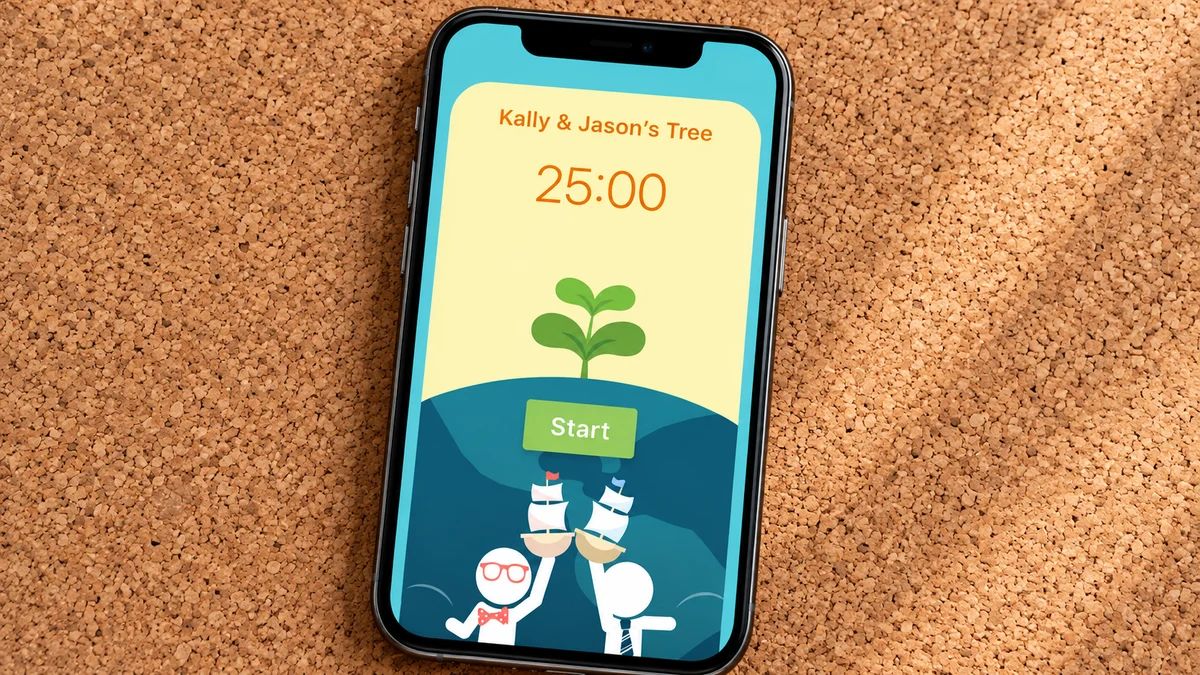
Flora is the closest thing to Forest, and for a lot of people the better fit. You plant a seed at the start of a session, it grows while you focus, and leaving the app kills it. The draw over Forest is twofold. The core app has no ads, and the group focus is strong, so you can set a shared session and everyone's plant dies if one person caves. That social pressure keeps some people honest when a solo timer doesn't.
It bundles a to-do list and habit tracker alongside the timer, and it has its own real-tree scheme, Flora Care and Flora Price, where you pledge to plant a real tree or put a little money on the line to sharpen your resolve. It's free with optional in-app purchases, and it lives mainly on iPhone, iPad and Mac.
The honest wrinkle is platform. Flora is polished on Apple devices, and on Android it's thinner, so people searching for apps like Flora to share with an Android friend can hit sync snags. Check the store listing before you build a study squad around it.
Best for: friends and study groups who want to focus together, free and ad-free. Not for you if: your circle is on Android, where it's less developed.
3. Focus Plant: cute plants and a proper app blocker
Focus Plant leans harder into the game than Forest does. You earn raindrops by staying off your phone, then spend them growing a big cast of adorable plants across different worlds. There are more than two hundred to collect, which sounds daft until you notice you're focusing an extra ten minutes to finish a set. It pairs a pomodoro timer with app blocking, so it nudges you toward the classic twenty-five-on, five-off rhythm while keeping distractions locked.
It's on iPhone, iPad and Android, free to download, with in-app purchases and an optional subscription that clears the ads and adds packs of plants and seasonal bits.
The trade-off is the free version's clutter. There are ads, and a fair amount of the collecting is dangled behind purchases, so if you want a calm, minimal timer this one can feel busy. Six million people don't seem to mind.
Best for: people who focus better when there's a cute collection to build. Not for you if: you find ads and in-app nudges distracting in a focus app, which is a fair irony.
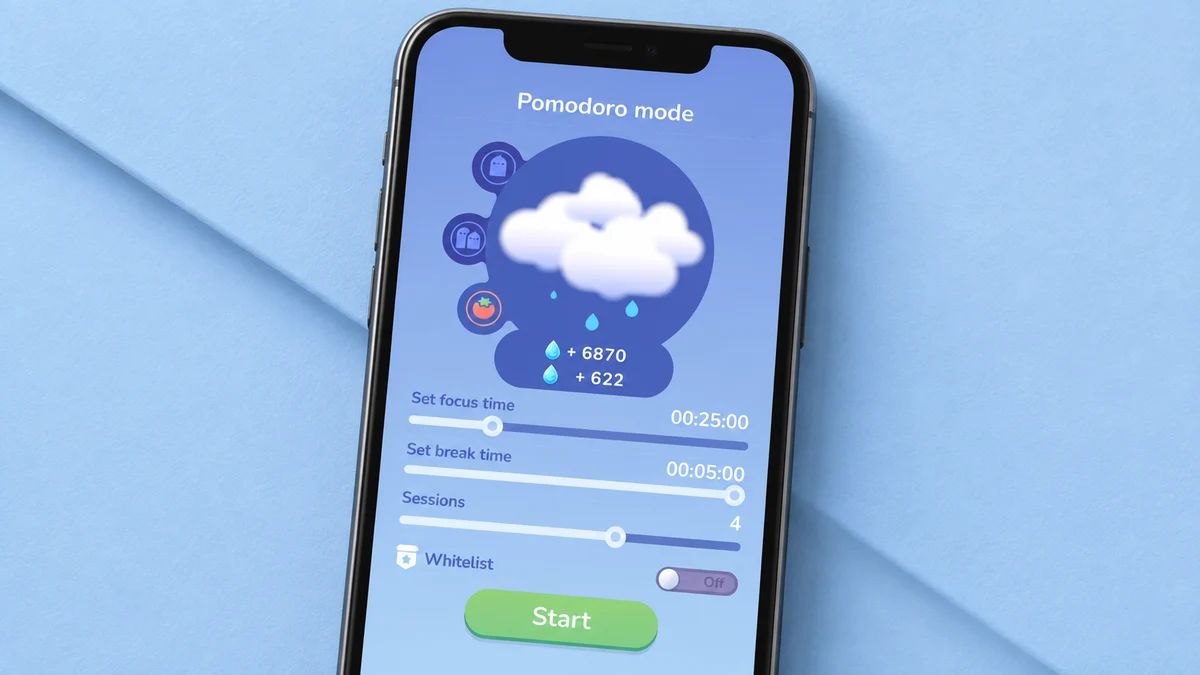
4. Plantie: a no-fuss timer that grows a garden
Plantie is the stripped-back one. You pick a focus length from ten minutes up to three hours, plant a seed, and it grows if you stay put and withers if you leave. Finish sessions to harvest plants and earn coins for your garden. That's about it, and the simplicity is the appeal if Forest and Focus Plant feel like they're asking you to manage a small farm.
It's free, with an optional purchase to remove ads, and it's built for the Pomodoro Technique of timed sprints and short breaks. Students have taken to it, and it handles long study blocks fine.
Two things to know. It's iPhone-only, so Android users are out, and it's a plain timer with no app blocking, so nothing stops you leaving beyond the guilt of a dead plant. For a light study session that's plenty. For hard willpower days it isn't much of a wall.
Best for: iPhone users who want the growing-plant reward with zero setup. Not for you if: you're on Android, or you need something to physically block apps.

5. Flipd: for when a wilting tree isn't enough
Flipd is what you reach for when soft accountability has stopped working. Its Full Lock mode locks your distracting apps for a set stretch, so you can't weasel back in the way you can with a wilting tree. It also runs live study rooms and public sessions, for a body-doubling feel if working alongside strangers keeps you at your desk.
It's on iPhone and Android, free to download, with a premium subscription that opens up unlimited session lengths, longer history and the full music library. At the time of writing that premium tier is around six dollars a month or a discounted yearly rate, though check current pricing before you subscribe.
There's no tree to grow here, which is the point and also the loss. If the visual reward was half of why you loved Forest, Flipd will feel austere. It's a blocker with a study-room layer, and the good stuff is mostly behind the subscription.
Best for: people who need a real lock, not a guilt trip, and like study-room company. Not for you if: the growing-picture reward was the whole reason you were here.

6. Focus Keeper: the clean pomodoro pick
Focus Keeper drops the garden entirely and does one thing well. It's a tidy pomodoro timer, twenty-five minutes on then a short break, with a longer break after four rounds, and it gets out of your way. The free tier covers customisable intervals, session history and sounds, which is enough for most people, and a Pro upgrade adds themes, widgets and fuller stats.
It runs on iPhone, iPad, Apple Watch, Mac and Android. If you're deep in the Apple ecosystem, Be Focused does much the same job and syncs across your Apple devices.
The obvious downside is there's nothing to watch grow. No tree, no flowers, no collection. For some the plain countdown is calming. For others it's the missing hook that made Forest work.
Best for: people who want a fast, clean timer and don't need the gamified reward. Not for you if: the growing picture was doing the motivating.

7. Opal: block the apps, skip the game
Opal sits at the serious end. It's a screen-time blocker built on Apple's Screen Time tools, so instead of hoping a dying tree deters you, it puts up scheduled blocks and daily limits on the apps that eat your day. Its Deep Focus mode is the strict one, hard to bypass in the moment, and it shows where your hours went in more detail than the built-in phone settings.
It's an iPhone app first, with other platforms newer and less complete, and it's a paid subscription with a limited free tier. Reviews are strong, an Apple Editors' Choice and a rating near the top across tens of thousands of ratings. Pricing changes, so check the current plans before you sign up.
The honest note is cost and scope. This is a pure blocker, so there's no timer garden and no charm. You're paying for willpower you can't easily override, and if that's the problem it earns its keep. If you wanted the cosy grow-a-forest feeling, look elsewhere.
Best for: people whose problem is doom-scrolling and who want a firm, paid block. Not for you if: you want a free tool, or you wanted a reward to watch grow.
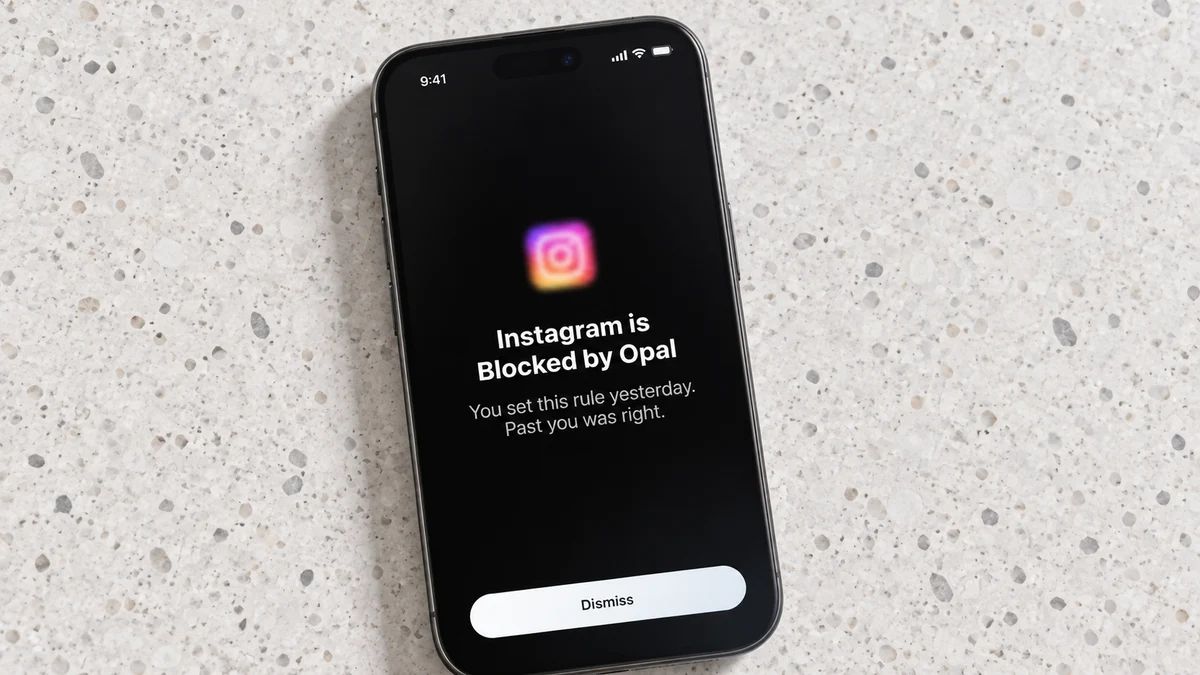
8. Freedom: one blocker across all your devices
Freedom solves the loophole where you block Instagram on your phone and open it on your laptop thirty seconds later. It blocks apps and websites across everything at once, iPhone, Android, Mac, Windows, Chromebook and Linux, in one synced session. Turn on Locked mode and you can't edit the blocklist while a session runs, so there's no negotiating with yourself mid-afternoon.
It's a paid app with a free trial to test it, then an annual subscription or a one-off lifetime option. At the time of writing the yearly plan is around forty dollars, but check before you buy.
Reviews are mixed on whether any blocker ever fixes a phone habit, and Freedom is no exception. What it does well is close the cross-device gap that trips up people who work across a laptop and a phone all day.
Best for: anyone who gets distracted across several devices and wants one blocklist for all of them. Not for you if: you only use your phone, where a simpler app will do.
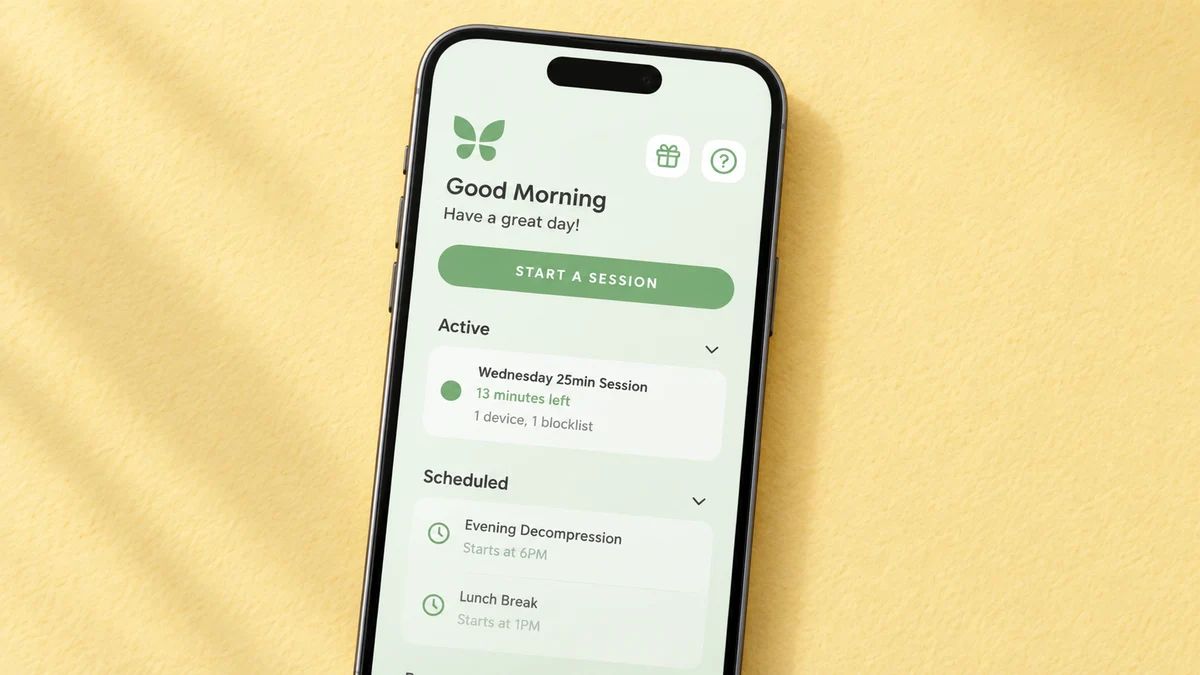
Free or paid, at a glance
If your search was for focus apps that grow trees, but free, here's where the money sits.
- Flora is the strongest free pick: no ads, and optional purchases only.
- Forest, Focus Plant and Plantie are free to start, with ads or in-app purchases and, for the first two, an optional subscription.
- Focus Keeper is free, with a Pro upgrade for themes and stats.
- Flipd, Opal and Freedom are paid at heart, with the good parts behind a subscription or trial.
Prices change often, so check on the day.
For everyday habits, not focus sprints
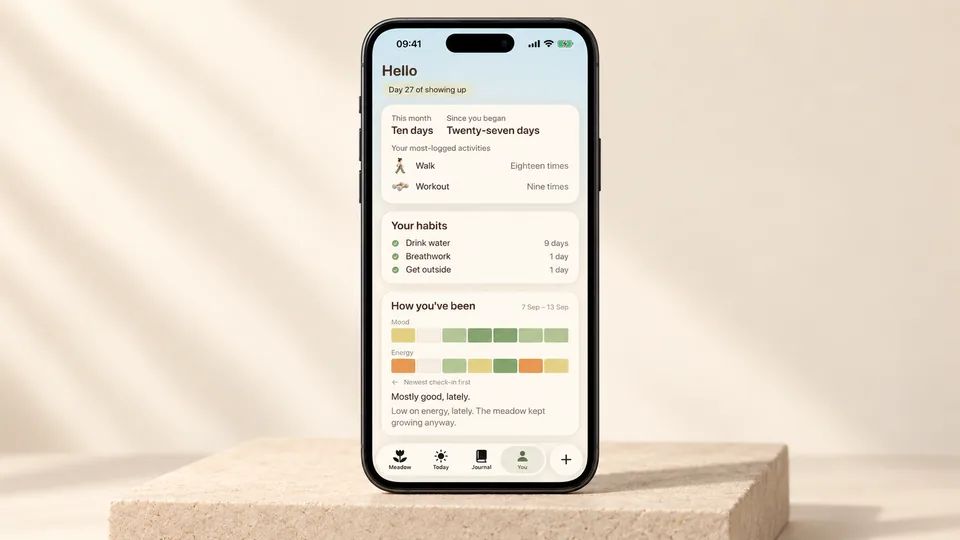
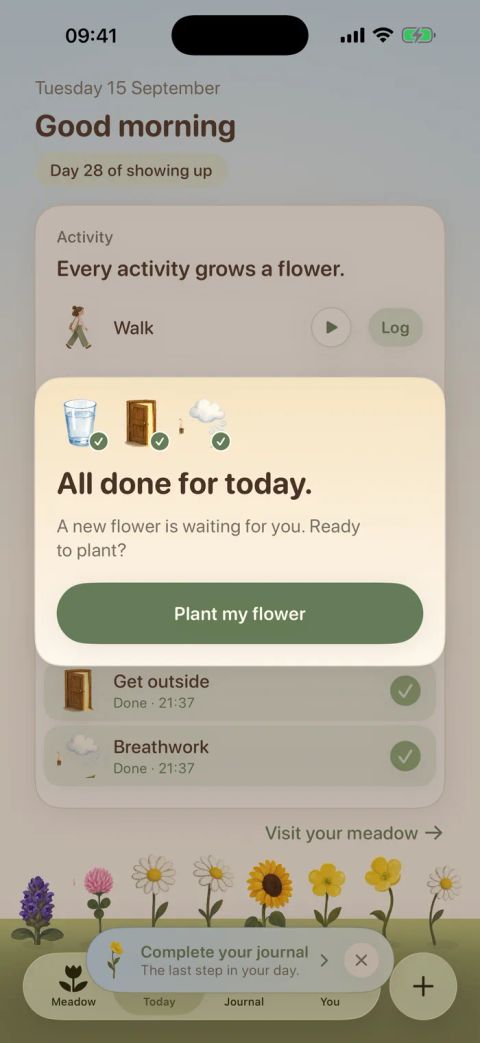
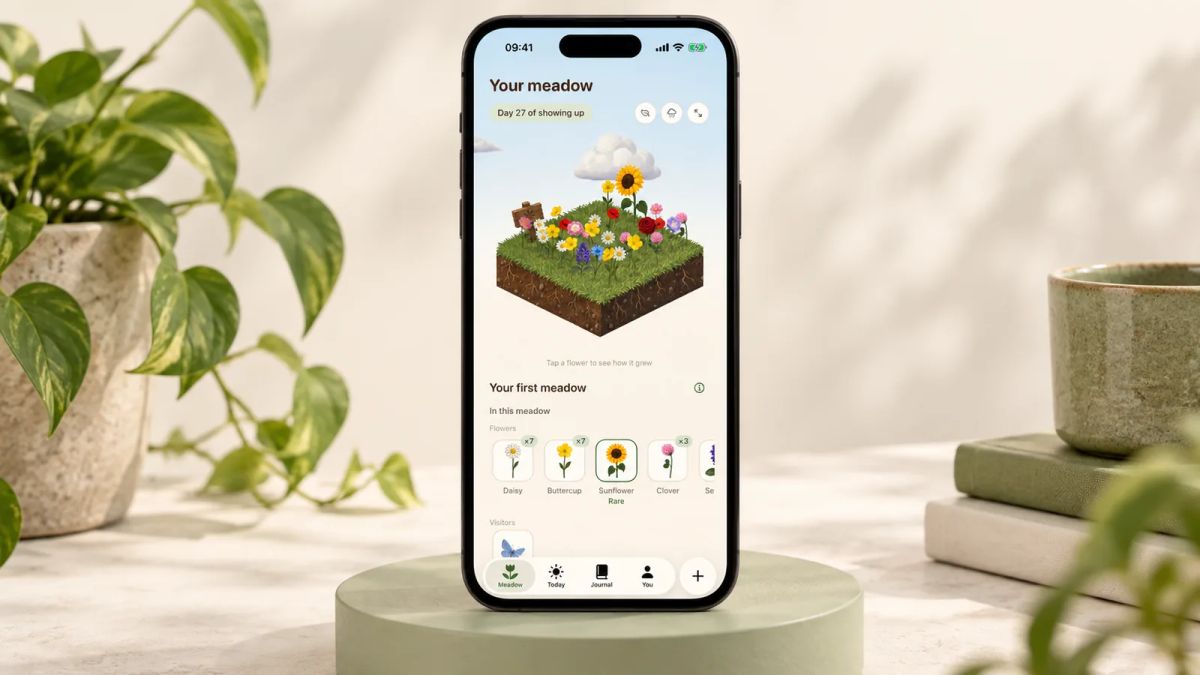
If the part of Forest you loved was watching something grow because you showed up, and the strict timer mattered less, you might be after a habit app instead of a focus blocker. Meadow is worth a look for that. You grow a real wildflower meadow through your everyday efforts, a walk, a few minutes of yoga, a glass of water ticked off, and each day you turn up a new flower blooms in a meadow that's yours alone. Rare flowers and little animal visitors show up as it fills in, and there's a breathwork feature so you can practise your breathing next to the meadow you've grown.
The difference from the timers above is that Meadow isn't trying to lock you into a twenty-five-minute sprint. It's built for consistency across a whole life, so there are no streaks to break. Miss a day, a week or a month and nothing resets and no flower wilts, and you pick up whenever you're ready. It's a paid app and it's iPhone-only, so it won't suit everyone, especially if you want something free or you're on Android. Little and Often is run by the Meadow team, so treat this as us being upfront. If it sounds like your thing, Meadow trades the focus timer for a gentler daily habit.
How to choose the one that sticks
Start with why you drifted from Forest, then match it.
- You wanted the tree, but free and social. Flora, with friends.
- You wanted more game. Focus Plant for the collection, Plantie for something plainer.
- You wanted a firm lock. Flipd on your phone, Freedom across devices, Opal for screen-time limits.
- You wanted a clean timer with no frills. Focus Keeper, or Be Focused on Apple gear.
- You wanted the reward more than the sprint. A habit app like Meadow, covered above.
Then be honest about how you react to slipping. If a broken run makes you want to bin the whole app, steer clear of anything that punishes a missed session and pick a tool that treats an off day as normal. That reaction is a common reason these apps get deleted.
Don't download five at once. Pick the one that fits the reason you're here, set it up with a single session or habit for tomorrow, and give it a fortnight. To compare trackers for your phone, our guide to the best habit tracker app for iOS goes deeper, gamified habit formation explains why the grow-a-tree trick works on your brain, and mindfulness for beginners is a good start if the breathing and calm side is what you're after.
The app that helps is the one still open on your phone next month. The tree was never the point, the focus was, and any of these can carry it if you keep the session small and come back tomorrow.
AUTHOR
Co-founder of Meadow.
Ash is co-founder of Meadow, a habit and movement tracking app that turns small acts of self-care into a growing wildflower meadow.
Every little bit counts
Five minutes counts. So does a dance in the kitchen.
Log the movement you enjoy and the small habits that help you feel good, and watch them bloom into something you can see.
Download Meadow